How to Sign Documents on Your iPhone or Android Phone

When you need to sign a document that’s sent to you as a PDF or a Word file, you can easily take care of that using your phone. Whether you use an iPhone or an Android phone, both include built-in options for adding a quick signature onto a document, saving a new copy and sending it off to whomever you need.

These tools work in a pinch, but I wouldn’t recommend them if you’re marking up a more in-depth document that requires multiple signatures and filling out many text boxes. A more advanced signing tool like DocuSign or Microsoft 365 is better optimized, and frankly, if you’re signing something like an apartment lease, you might want to break out a bigger screen like a computer or tablet.

Read more: Best Phone to Buy in 2025

Most documents that need your signature are much shorter and simpler, so if you’re dealing with one of those, then Apple’s Markup tool and the Google Drive app each include a quick way to get your documents filled out and on their way.

Sign with Google Drive on Android or iPhone

The Google Drive app — included on all Android phones and can be downloaded onto an iPhone — includes markup tools that make it easy to sign a document.

When using Google Drive on Android, you’ll first need to open the PDF that you want to sign.

When it’s open, depending on the file, you’ll either get an Edit option marked with a pencil or an Annotate option marked by a pen with squiggly lines. If you have the Edit option, you can then select Form Filling to enter your additional information. If you have only the Annotate option, you can tap it to bring up a pen tool, and you can use that to give a quick signature to your document.

Motorola Edge phone with a signature added to a document

This signature was added using the annotation tool on the Android version of Google Drive.

Mike Sorrentino/CNET

Unfortunately, Google Drive doesn’t consistently detect PDFs that should get the Form Filling option, and if you do need to edit the document to include plain text, you may want to use a more robust alternative service instead. If the above steps did accomplish what you need for your document, you can then tap Save in the top right to save those changes. If you want to make a separate copy with these changes, you can tap the More button marked by three vertical dots and tap Save as.

The iPhone version of Google Drive has less flexibility. After opening a PDF, you’ll see a Fill out form option at the bottom indicating whether Google Drive can fill out the form. Otherwise, there’s no annotation option to fall back on. Apple has its own built-in tool for signing a document, which can be used instead.

apple-iphone-files-app-signature-menu

Apple’s Markup tool can be used to add signatures and text to documents.

Mike Sorrentino/CNET

Sign with Apple’s Markup tool on iPhone

Apple’s Markup tool allows for annotating documents and photos with text, images, emojis and signatures. You can access this tool from across iOS, either directly while viewing a PDF or from Apple’s Share menu.

You’ll first want to open up the PDF that you want to sign — whether that PDF is from an email attachment or from a website. Depending on the app you are using to view it, you might already see the Markup tool on the bottom-right corner of the screen, represented by a pen tip within a circle. If you don’t, tap the Share icon marked by a square with an upward-facing arrow, and in the pop-up menu scroll up to find and tap Markup.

After Markup is turned on, you’ll first get the option to scribble directly onto the document using a variety of pen tools — but don’t use those to sign the document. Instead, tap the Signature icon marked by a rectangle with a pencil, which will likely be in the top row of the Markup menu. This will then bring up a + icon into the bottom-right of the screen, and after tapping that you’ll either select Add Text Form Box or Add Signature. The former is good for typing in print text, while the latter is for handwriting signatures. 

Adding a text box into a document in Apple's Files app.

Text boxes can be moved and resized in the document.

Mike Sorrentino/CNET

If selecting to add a text box, you’ll first be able to move the text box by dragging and resizing it as needed. Then you can tap into the text box to bring up the keyboard for entering text. When you are finished, you can tap outside of the text box to make the keyboard disappear and then tap Done in the top-right to save those changes. 

If you are adding a signature, you’ll first use the pop-up menu to sign your name using a finger. That signature can be saved and used again for future documents. After setting up that signature, you can tap Done to move it into a text box in the document. You can then use your finger to drag, drop and resize as needed. 

Whether you are using the text box option or the signature option, you can make additional adjustments with each box by tapping an option icon alongside each box, marked by three dots (). This pop-up will let you Cut, Copy, Duplicate or Delete the box as needed.

When you are done making your adjustments, you can either select Done to save your changes or use the Share icon to send the amended document to another app like your email or cloud storage.

Watch this: iOS 18 Hands-On: Exploring the Big Design Changes



Source link

Visited 1 times, 1 visit(s) today

Related Article

Nvidia’s trillion-dollar run puts pressure on the bulls

BEIJING, CHINA – MAY 14: Nvidia CEO Jensen Huang (C) gestures as he prepares to depart following a welcome ceremony at the Great Hall of the People on May 14, 2026 in Beijing, China. President Trump is meeting with President Xi Jinping in Beijing to address the Iran conflict, trade imbalances, and the Taiwan situation

Permutations in Europe: What’s still at stake in final weeks of season?

There’s still plenty to play for across Europe as we head into the final matches of the club season. Here are all the title races, Champions League fights, and relegation battles left to be decided in the top leagues this month. This story will be updated until the end of the campaign. 👉 Jump to:EPL

Brewing a Better Half-Gallon Batch

Today I finally ran an experiment I’ve wanted to try for a long time. If you’re a professional barista—or you run a busy café—this may save you some time. Most coffee shops use 1–1.5 gallon batch brewers (Bunn, Curtis, Fetco, etc.). When I opened Short Sleeves Coffee, I intentionally avoided brewing full 1-gallon batches. I

5 Frozen Breakfasts Chefs Say Keep You Full All Morning

Chef-approved frozen breakfasts with more protein and better ingredients. Eating a healthy breakfast every morning is a great way to start the day, but most people don’t have time to cook. Whether you’re rushing out the door in the morning for work, taking the kids to school or both, there’s usually not much time in

CA scales back plan to ban student use of cell phones

By Carolyn Jones, CalMatters This story was originally published by CalMatters. Sign up for their newsletters. Until last month, California was poised to join nearly a dozen other states that ban cell phones in K-12 schools. But under pressure from school boards and administrators, lawmakers scaled back a bill that would have required such a

BulkQuant Launches AI Trading Bot for Crypto, Forex, and Stock Markets

BulkQuant Launches AI Trading Bot for Crypto, Forex, and Stock Markets

London, United Kingdom, May 15, 2026 (GLOBE NEWSWIRE) — BulkQuant has officially launched its AI trading bot platform designed for crypto, forex, and stock market traders seeking a simpler way to automate trading strategies across multiple financial markets. The platform combines AI-powered quantitative analysis, automated trade execution, portfolio monitoring, and adaptive risk management into a

IMF lauds resilient Hong Kong economy but warns of risks linked to Middle East war

IMF lauds resilient Hong Kong economy but warns of risks linked to Middle East war

The International Monetary Fund (IMF) has lauded the resilience of Hong Kong’s economy, noting a sustained recovery despite economic activity having yet to return to pre-Covid levels, while warning of downside risks stemming from escalating geopolitical tensions. It also urged Hong Kong to pursue medium-term financial reforms, including the introduction of a goods and services

Smithsonian Presidents Exhibit Reopens With Low-Key Trump Impeachment Mention

For the past year, the Smithsonian Institution has found itself in the awkward position of telling the nation’s story while being supported in part by a government that wants to narrow how that story is told. In December, the White House threatened to revoke funding to the institution if it did not hand over a

Marvel’s Daredevil Follow-up Is Already Dominating on Streaming

A follow-up to Daredevil: Born Again Season 2 on Disney+ has become a massive streaming success within days of its launch. The Punisher: One Last Kill has quickly climbed to the top of multiple charts, beating out other titles on the platform. The MCU television special follows the gun-toting vigilante, who finds himself targeted by

Is Now a Bad Time to Invest?

The market has been on a roll lately, with the S&P 500 (SNPINDEX: ^GSPC) setting new highs throughout May. If you think you missed your opportunity when the market bottomed in late March, don’t fret. The market hitting new all-time highs is not particularly rare and should not change your investment strategy. And if you

6 bids for Hong Kong land sale signal renewed confidence despite market caution

6 bids for Hong Kong land sale signal renewed confidence despite market caution

The Hong Kong government’s first land sale in the current financial year has drawn six bids, according to the Development Bureau, including those from the city’s largest developers, suggesting a more confident outlook for the residential property market. At the close of tender for Tung Chung Town Lot No 54 at Area 106A on Friday

Each Premier League team reranked: Man City rise; Chelsea, Liverpool collapse

Ryan O’Hanlon Close Ryan O’Hanlon ESPN.com writer Ryan O’Hanlon is a staff writer for ESPN.com. He’s also the author of “Net Gains: Inside the Beautiful Game’s Analytics Revolution.”  and  Bill Connelly Close Bill Connelly ESPN Staff Writer Bill Connelly is a writer for ESPN. He covers college football, soccer and tennis. He has been at

Trump departs China after two-day summit

Trump departs China after two-day summit

IE 11 is not supported. For an optimal experience visit our site on another browser. Trump Wraps China Summit With Xi Jinping: What Are the Results? 05:41 Xi gives Trump rare tour of secret garden at heart of Chinese government 01:04 Now Playing Trump departs China after two-day summit 01:01 UP NEXT Special Report: Trump

Carol Chow was facing a bankruptcy petition by five people over unspecified debts at the time of her death. Photo: Dickson Lee

Embattled Hong Kong developer sued for HK$130 million, days after founder’s death

A Hong Kong property developer has been sued for HK$130 million (US$16.6 million) over allegedly breaching guarantor obligations in two bond subscription agreements, becoming the latest lawsuit to implicate the embattled company and following its founder’s sudden death earlier this week. Lofter Group, known for its urban renewal projects across the city’s core districts, and

Trump’s China visit left chip export issue unresolved

This report is from this week’s The Tech Download newsletter. Like what you see? You can subscribe here. One look at the roster of U.S. execs that cozied up to U.S. President Donald Trump on the 20+ hours flight from Alaska to China on Wednesday and you get a sense of the American delegation’s key focus

Why the Cerebras IPO matters for the AI race with China

Why the Cerebras IPO matters for the AI race with China

Cerebras, an AI chipmaker, saw its shares nearly double on Nasdaq, closing up 70% with a $95B market cap. Cerebras’s powerful chips are key in the US-China AI tech race. Chris Buskirk, co-founder and chief investment officer of 1789 Capital, a key Cerebras investor, says the company’s IPO is geopolitically significant. On Thursday, shares of

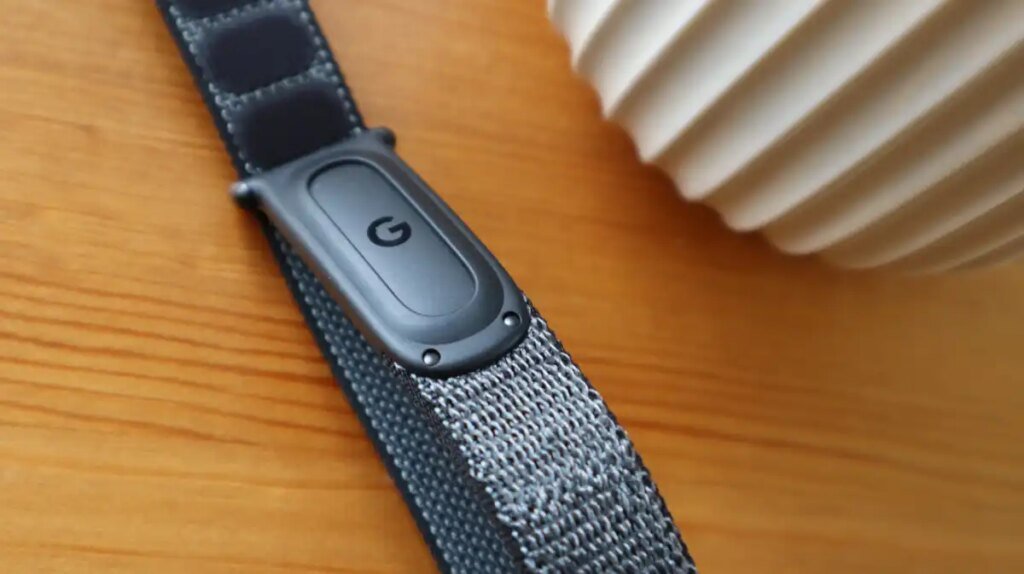
Fitbit Air vs Whoop Strap Comparison: Price, Features and AI

The Google Fitbit Air is very much the talk of the fitness tracking town right now, not only because it’s the first new Fitbit device that we’ve had in years, but it’s also one of the first big brands to go head-to-head with the established Whoop Strap (if you don’t count the Polar Loop and

0
Would love your thoughts, please comment.x
()
x