These are the best iPad photo editing apps
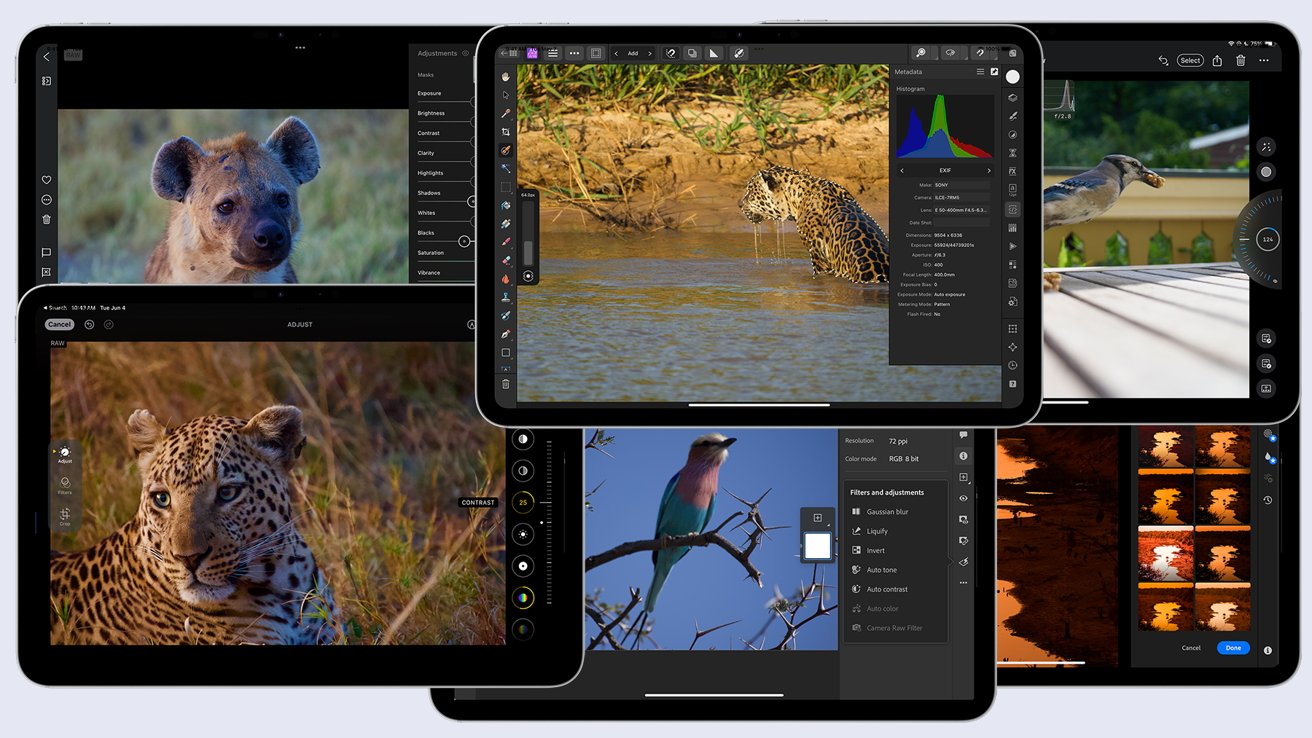
The iPad is the perfect tool for photo editing, and there are dozens of photo apps for it. Here are the best choices to make your photos stand out.
The iPad is a nearly perfect platform for photo editing. What started as a more consumer-focused product that emphasized content consumption has turned into a powerful tool for creators.
The recently announced iPad Pro debuted Apple’s most powerful processor yet. It is a workhorse with as much brawn as most Macs. Even entry-level iPads have enough horsepower to tackle advanced photo editing.
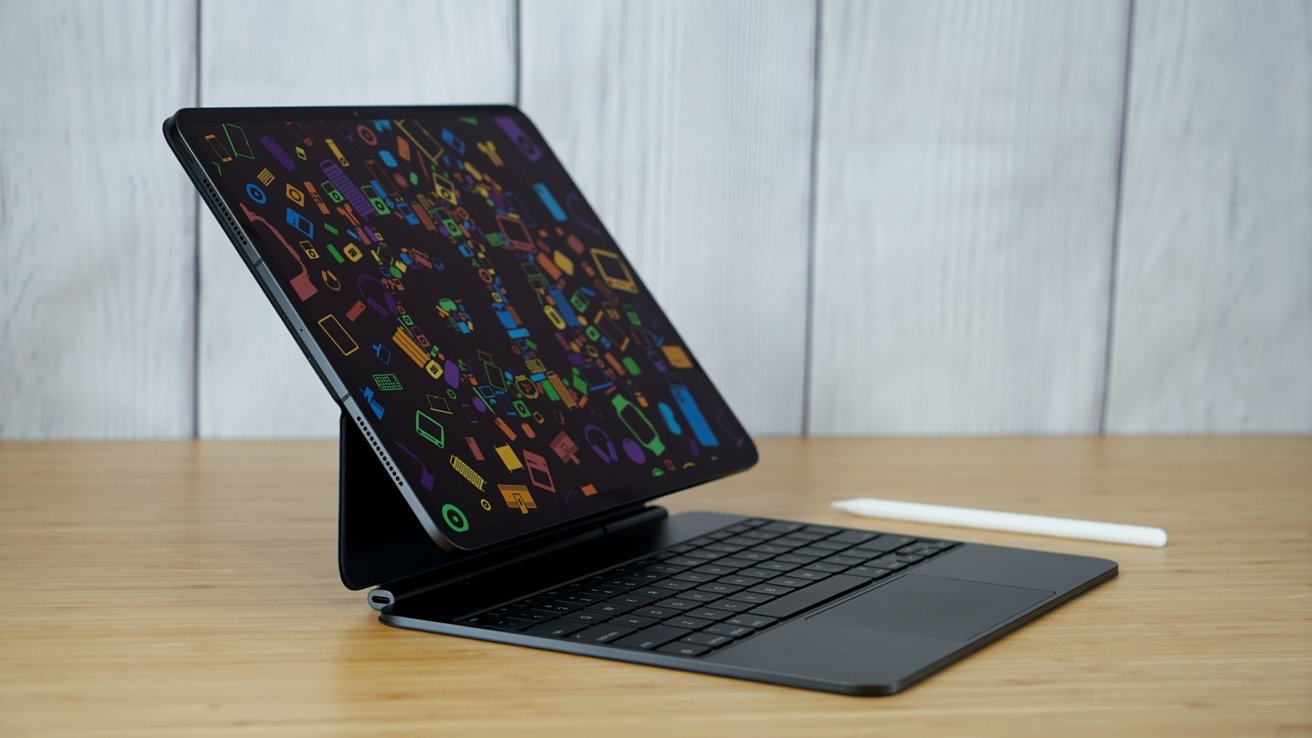
The iPad’s touch interface and high-res displays make a great photo editing platform.
These iPad photo editing apps are perfect for photo editing, and while they take advantage of the most recent iPad processors. Don’t worry if you have an older iPad they still run well on older iPads, too.
Adobe Lightroom for mobile
Adobe offers two versions of Lightroom on the Mac: Adobe Photoshop Lightroom and Adobe Lightroom Classic. Lightroom Classic is a full-featured photo management and editing tool with Adobe’s best editing features.
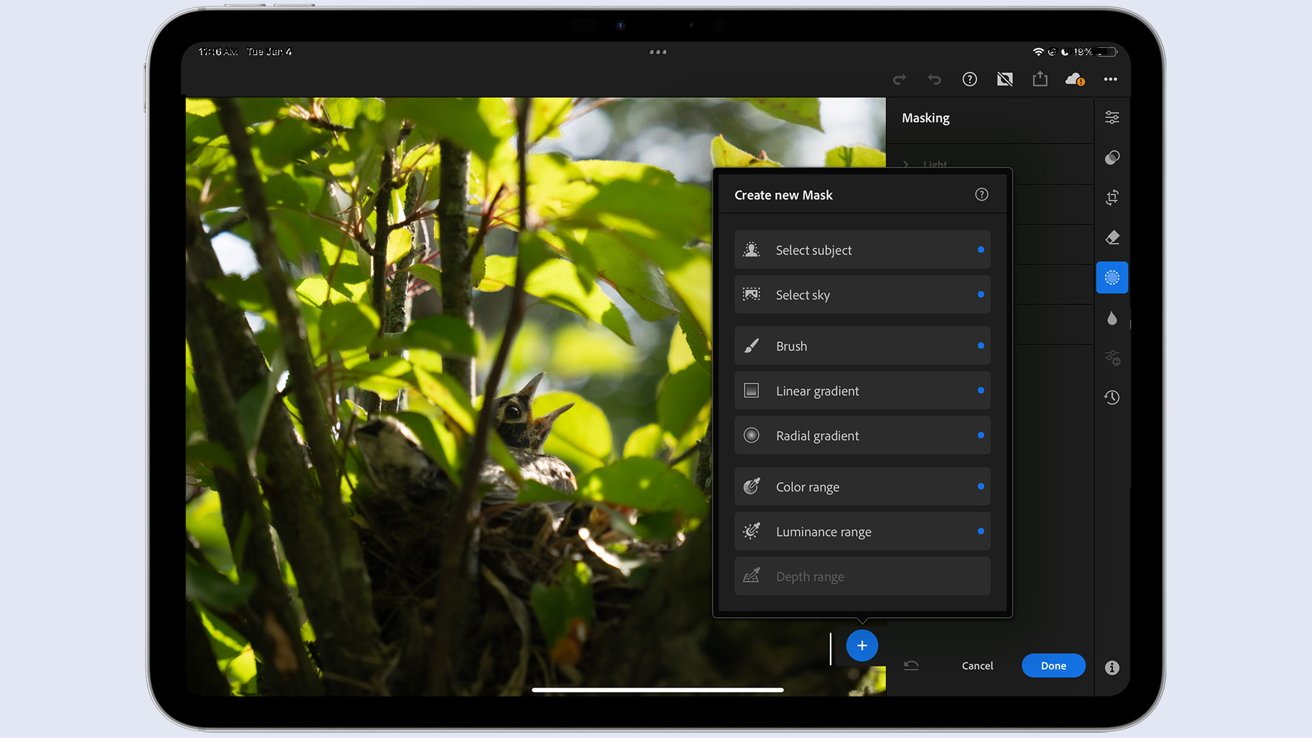
Adobe Lightroom for iPad syncs with the desktop version and provides many tools. Image Henry Schloss
On the other hand, Adobe Lightroom focuses on a more mobile workflow, and its suite of tools on Mac and iPad is more limited. Still, it offers more tools than most image editors on the iPad and instantly syncs with the desktop version.
The most recent version of Lightroom for mobile has new AI tools like Generative Remove, whcich It removes objects and replaces them with AI-generated images that blend seamlessly into the photo.
AI is also used to enhance images and create background blur, perfect for images from mobile devices, where backgrounds are often in sharp detail.
A great tool for social media creators, Lightroom allows mobile users to export replay videos of an editing session. Photographers can post these to their social accounts as tutorials or demonstrations of their editing techniques.
Lightroom for mobile is free but limited in pro features until they are unlocked with an Adobe Creative Cloud subscription, available on the Adobe website.
Lightroom Mobile is available on the iPhone and iPad is sold on the App Store. Fees and subscription costs vary.
Adobe Photoshop for iPad
Adobe Photoshop for iPad is a powerful mobile image editing tool and a fantastic addition to the iPad ecosystem. It syncs with Adobe Creative Cloud for persistent editing across devices, yet still works as a capable stand-alone editor.
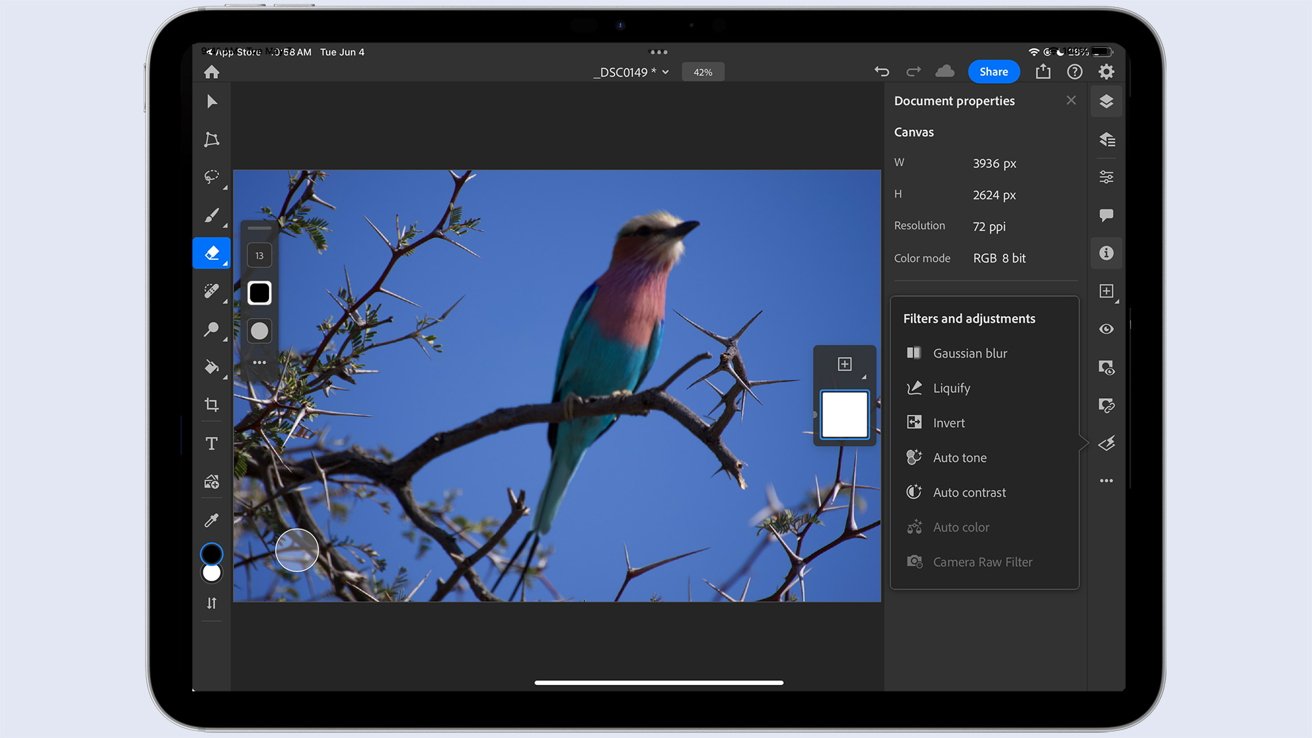
Adobe Photoshop can perform advanced editing and sync files with other Adobe apps. Image Henry Schloss
Photoshop for iPad has an interface similar to the desktop version but scaled down for the iPad. It has toolbars and layers and a selection of the most common image editing tools.
Despite the simplified interface, like the desktop version, powerful features are tucked away in every tool.In addition to typical tools, there are touch-based shortcuts to access layers, explore tool options, and even run shortcuts.
As a note, Photoshop Express, also available on mobile, is entirely different and is a poor chioce for photo editing.
Adobe Photoshop for iPad is free for users with a plan that includes Adobe Photoshop for Mac or Windows, and can be found on the App Store. As you’d expect, fees and subscription costs vary.
Apple Photos
For many users, the best iPad photo editor might be the built-in solution, Apple’s Photos.
Thanks to the connection to iCloud, Photos on the iPad has access to all of a user’s photo library, allowing for photo editing of any image taken on an iPhone or iPad or imported into Photos from a camera.
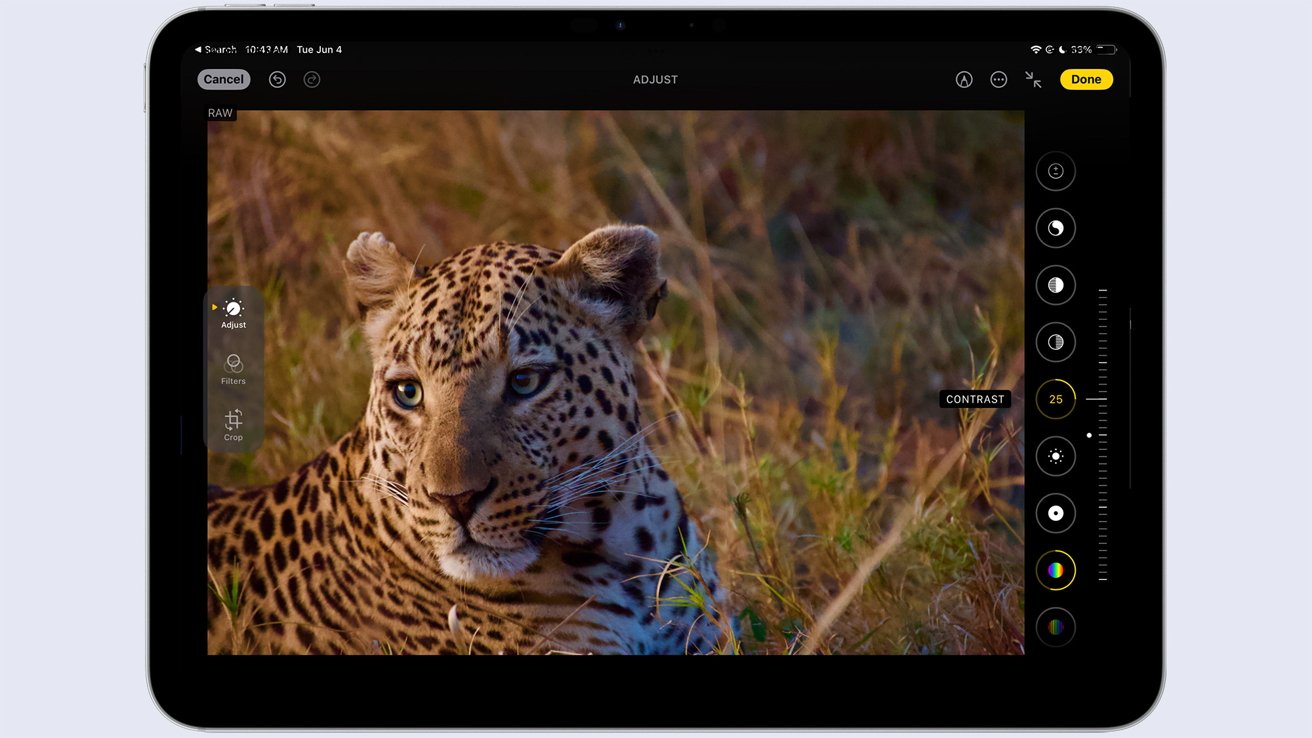
Photos has an interface that hides the strength of the tools. Image Henry Schloss
Photos isn’t the most robust image editor; its functionality is dedicated to image storage and sharing. Still, a surprisingly powerful set of tools is available with a tap on the Edit button.
Users can try one-click adjustments with the Auto tool or choose from 17 tools, such as contrast, saturation, sharpness, and noise reduction. Photos has a selection of filters, though it is nowhere near as comprehensive as many tools designed for social media sharing.
It’s even possible to draw annotations or effects on your images with the built-in Markup tools.
The best things about Apple Photos are that it’s built into your iPad and the instant cross-device sharing that brings. Adjust an image on the iPad; that edit is available on the Mac through iCloud syncing.
There’s even the ability to view and share images on Windows machines thanks to iCloud Photos, one of Apple’s few Windows apps.
Photos for iPad is installed by default along with Apple’s other core apps.
Capture One Mobile
Capture One Pro is an immensely powerful photo management and editing tool. It directly competes against Adobe Lightroom Classic, Adobe’s “traditional” version of Lightroom, but is much more powerful than Lightroom.
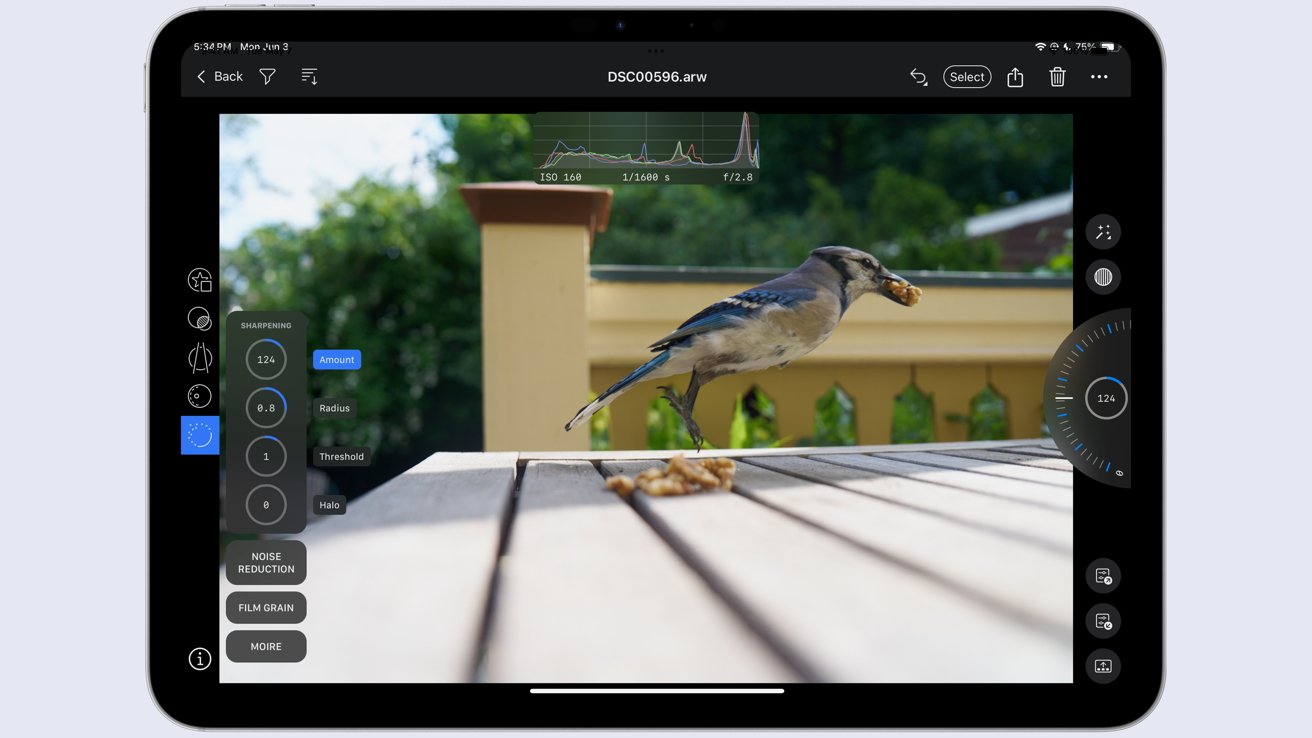
Capture One Mobile is a front end for the desktop version but is also full of editing tools.
Capture One was born as software for commercial studio photographers but over time the program became a powerful photo management and editing solution While it has a more complex interface than Lightroom, it provides a larger feature set of editing tools.
Capture One Mobile can be used as a stand-alone editing tool yet offers extensive tethering tools to move images from a shoot into Capture One Pro. Users can even directly control many brands of cameras for instant importing to the desktop app.
This tethering functionality is similar to the Multicam features added to Final Cut Pro for iPad 2. Images captured on the mobile app can be seamlessly integrated into Capture One Pro, eliminating the need for a card reader to transfer images.
Users can apply Quick Edits to imported images and batch-adjust them. More than a dozen tools are also available to adjust an image. Users of Capture One Pro can also transfer images using the cloud service, Airdrop or though direc connection to a camera.
Capture One Mobile is available with several subscription plans that include upgrades for the subscription term and is also available as a purchase of the current version that never expires but doesn’t get access to new full versions of the program.
Affinity Photo for iPad
Affinity Photo is a beloved photo editor on the Mac (and Windows) and a genuine competitor to Photoshop for the average user. Affinity eschews the subscription model and has a one-time purchase model that is equal to around three months of Adobe’s Photoshop subscription plan.
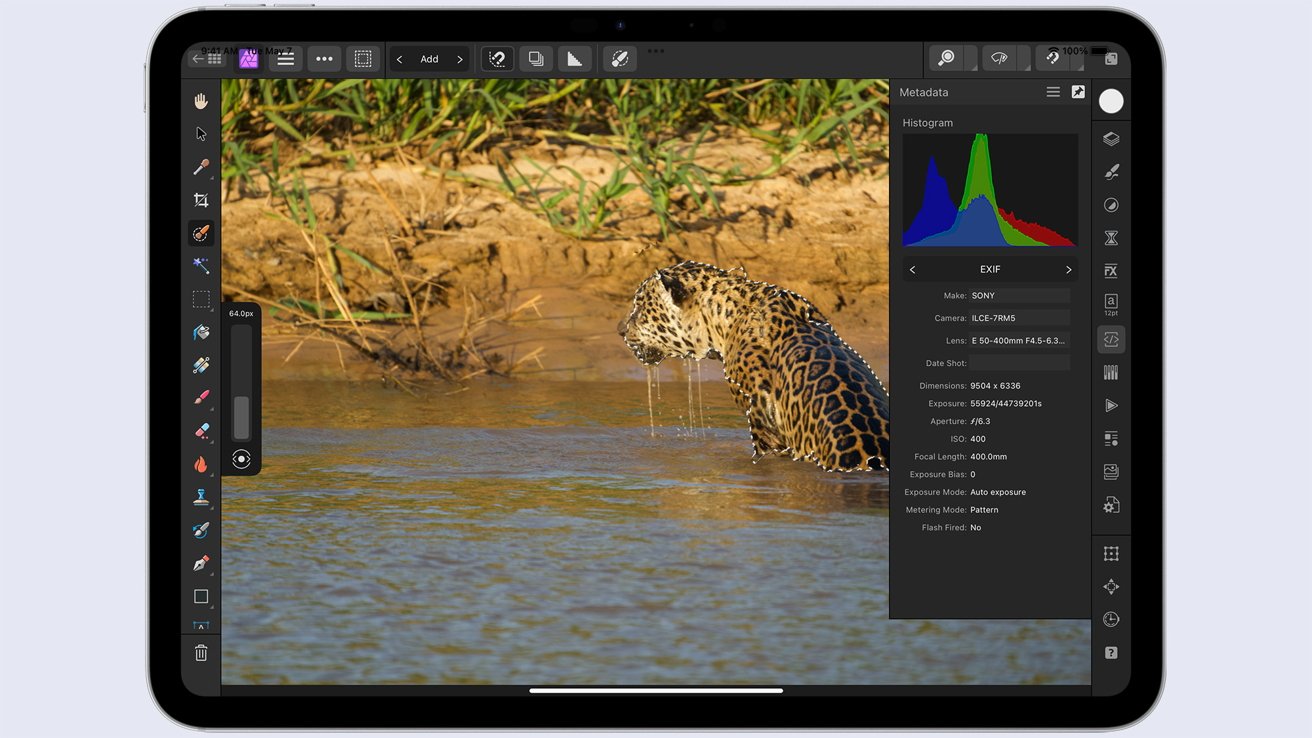
Affinity is packed with tools yet has a simple interface. Image Henry Schloss
Serif, the company behind Affinity, was recently acquired by Canva, an online design powerhouse. In my coverage of that merger, I pointed out how the combined apps could be a dominant force in the design market.
You do not need to purchase the desktop version to use Affinity Photo for iPad. It can be purchased without a subscription and costs under $20, but it is included in the company’s bundle of all three creative tools.
Affinity Photo for iPad is designed around the iPad’s interface. All the controls have been designed for touch use, a Quick Menu provides access to a programmable selection of tools, and a compact view gives more space to the art and less to the interface.
It has powerful editing tools, the ability to import Photoshop’s PSD files (including Smart Objects), make panoramas, create image masks, work with infinite layers, and more.
Affinity Photo for iPad works on older iPads, though Serif recommends an M1 iPad or later for the best performance. Even without an M1 iPad, Affinity Photo for iPad provides an impressive array of tools at a fair price.
Darkroom
Darkroom bills itself as “The easiest and most powerful photo and video editor,” which is hard to verify objectively. However, the tool has received an Apple Design Award, Best of the App Store award, and has been both App of the Day and Editor’s Choice.
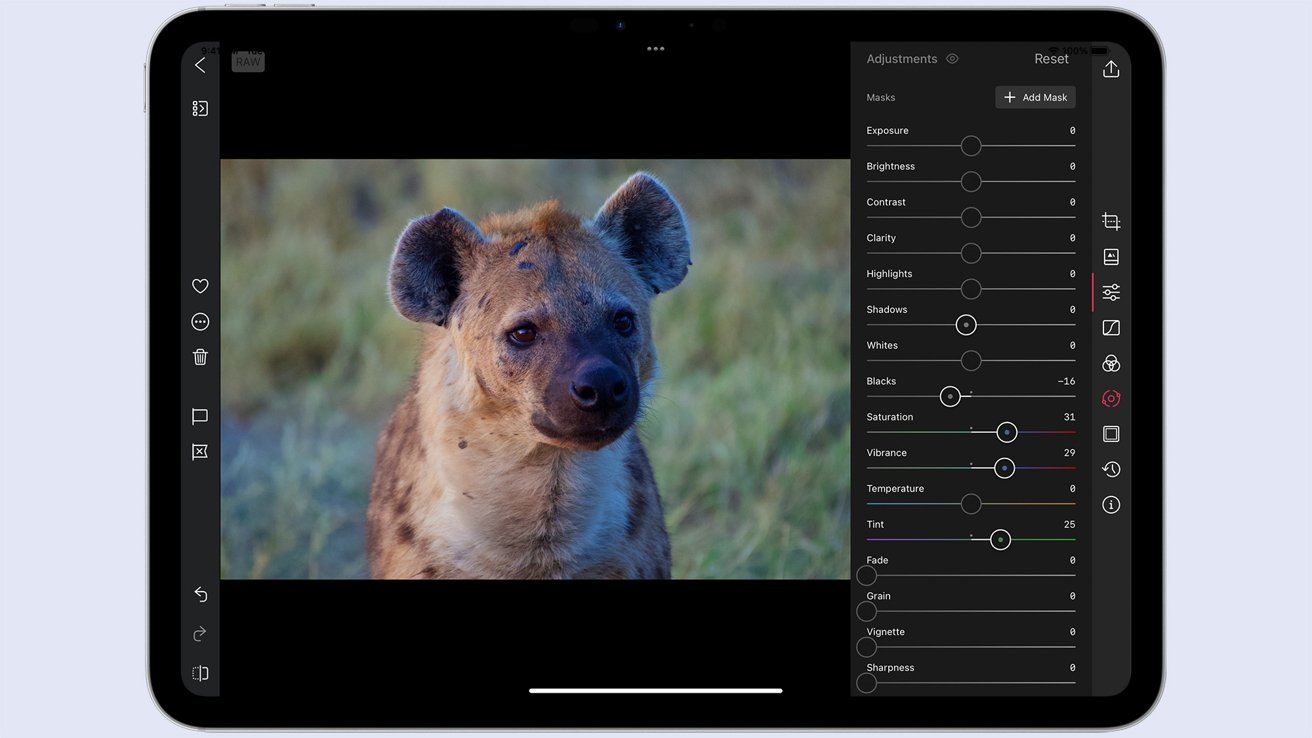
Darkroom is a powerful, uncomplicated photo editing tool. Image Henry Schloss
Darkroom has desktop, iPad, and iPhone versions, each with a unified interface. Switching between platforms is easy. The application is sleek, which means it’s free of distracting user interface elements and allows for power without being overly complex.
One-click presets quickly improve images, but powerful edits are just a quick trip to the sidebar away.
Since Darkroom is a photo and video editor, you get two different tools, saving time and money to have two different apps for each media type.
Darkroom is free to use, but a Darkroom+ subscription unlocks the app’s powerful functions. Subscriptions are available for $33 a year, but Darkroom+ can also be purchased for a one-time $75 price that is good for the app’s lifetime.
Which photo editor for iPad to choose?
Users of desktop photo apps with an iPad version should install the iPad versions, as they provide a unified photo editing experience. Installing the mobile version is a no-brainer if you subscribe to a creative suite like Adobe’s.
There should be one perfect choice with so many excellent photo editors available. Why limit yourself? Every iPad photo app has a slightly different use case, and that’s why many photographers have a quiver full of photo editing apps.