How to free up space on your phone and avoid the dreaded ‘storage full’ messages

You never want to see a ‘storage full’ message pop up on your phone. It means you’re not going to be able to install new apps, or capture new photos, videos, or audio messages, because there’s nowhere to put them. You won’t be able to sync music or podcasts, if the storage is all filled up.

The good news is, you can preemptively prevent this from happening by doing a little bit of regular digital housekeeping. Android and iOS now come with features to make it easier for you to manage local storage, whether it’s deleting files completely or sending them off to the cloud for safe keeping.

These are your options for keeping a sizable chunk of space available on your phone for when you need it.

How to free up space on Android

Android comes with a Google app called FIles, and if you load this up you can begin diving in and deleting files manually. The Downloads folder is a good starting point: It’s likely there are quite a few files here that you’ve downloaded from the web and forgotten about, and that you don’t need any more.

Tap the three dots to the right of a file then Move to trash to delete it (it will stay in the Trash folder for 30 days before being completely wiped). To delete several files at once, tap one of the check boxes on the right to start selecting, then tap the trashcan icon at the top to confirm your choice.
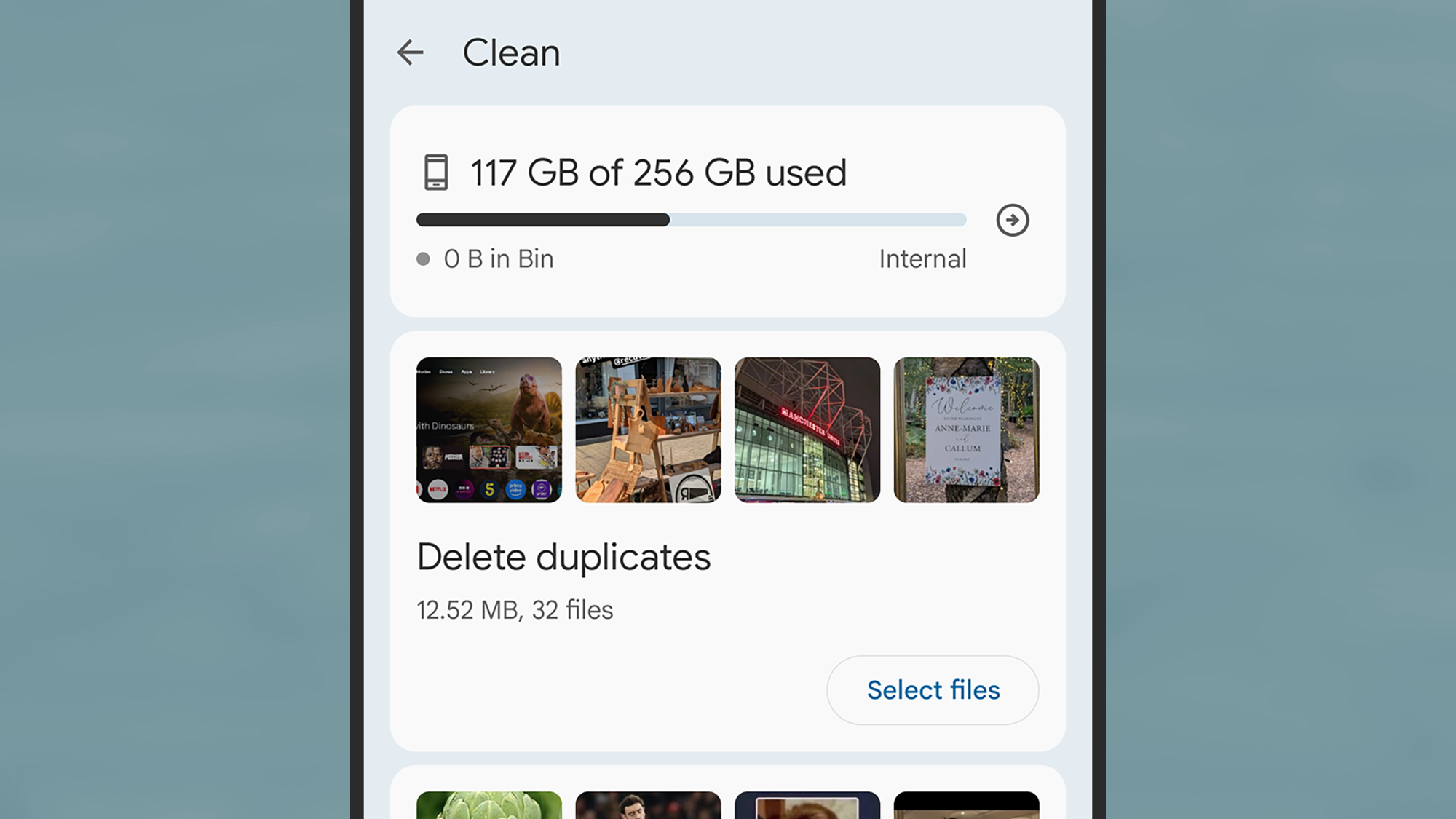
screenshot of android free up space options
The Android Files app shows you how much room you’ve got left. Screenshot: Android

The Files app comes with a dedicated tool for freeing up storage. From the front screen, tap the menu icon (three horizontal lines, top left), then select Clean. You’ll be shown a breakdown of how much room is left on your phone, together with ways to increase it. These might include deleting duplicate files and screenshots, but the options you see will vary depending on your device.

For example, you might see an option to Delete memes—images detected as standard meme templates that your contacts have sent to you over messaging apps. Pick Select files, and you can choose which memes to delete before sending them to the Trash folder.

You might also be advised to delete certain apps via the Files app, but you can also do this yourself from the Settings page in Android by choosing Apps, then selecting an app, and tapping Uninstall. Under Storage and cache you can see the space each app takes up, which can help you figure out what to get rid of (remember these apps can always be reinstalled, if needed).
screenshot of google photos storage
In Google Photos, you can delete local copies. Screenshot: Google

Speaking of apps, it’s worth double-checking any offline content you might have cached in your media apps. In Spotify, for example, tap your profile picture (top left), then Settings and privacy > Data-saving and offline to see how much room is being taken up by the app, and to get to the Remove all downloads option.

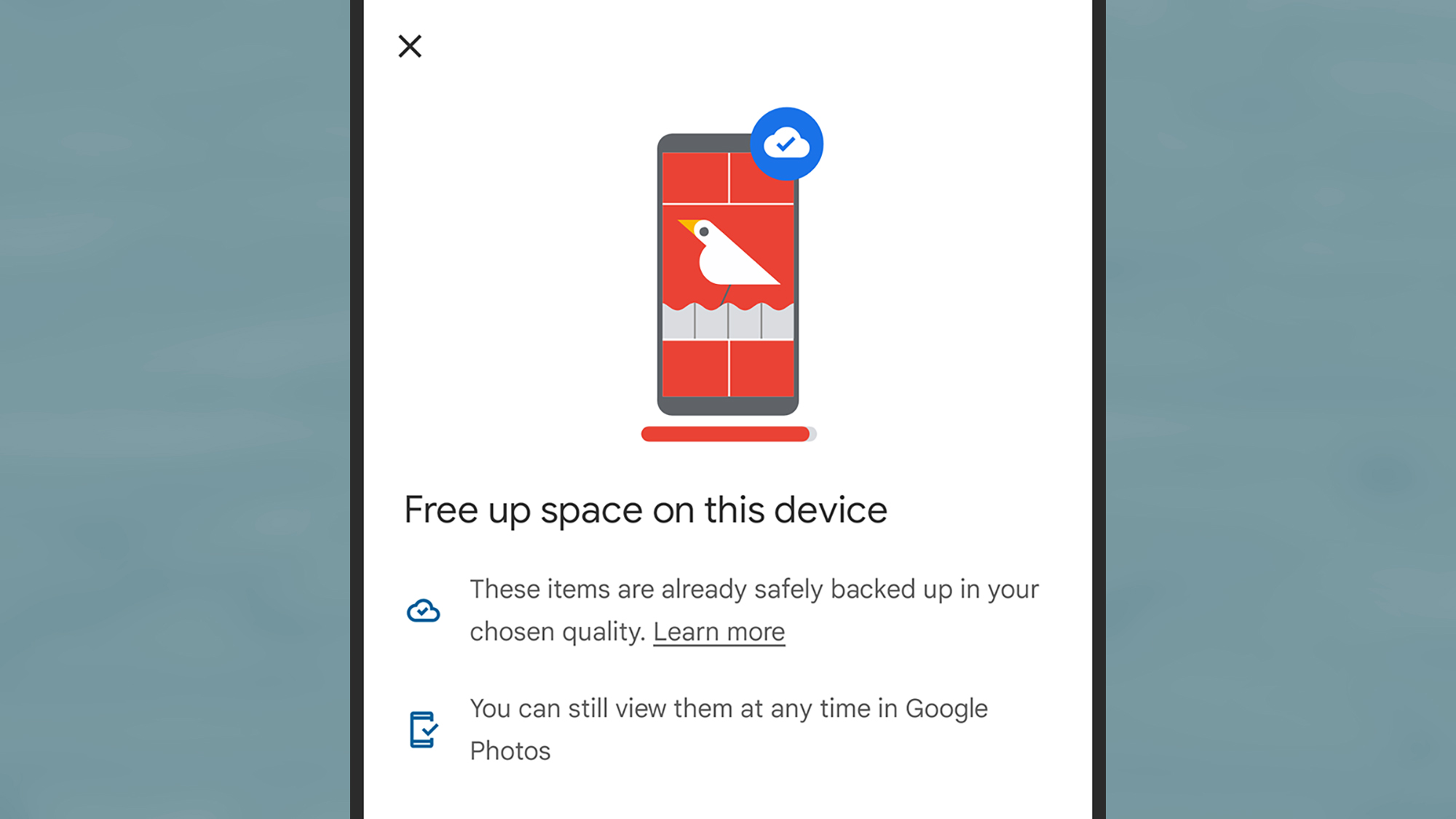
Finally, there’s a separate option in Google Photos for Android. If you tap your profile picture (top right), then Free up space on this device, you’ll be able to delete local copies of photos and videos that have been safely backed up to the cloud. Bear in mind though that you should always keep another backup somewhere else, in case anything should happen to your files in the cloud.

How to free up space on iOS

Over on the iPhone, there is a tool for identifying ways you can free up more storage space, but it’s not in the native Files app for iOS. Instead, you need to go to Settings, then tap General > iPhone Storage. You’ll see how much storage space is spare, and some suggestions for what you can do about it.

Scroll down and you get a full list of the apps installed on your phone, with the biggest ones at the top—it might be worth removing any you don’t use regularly. Tap on an app name and there are two options: Offload App (which keeps the app in place but deletes all the data it has stored locally), and Delete App (which removes it completely).
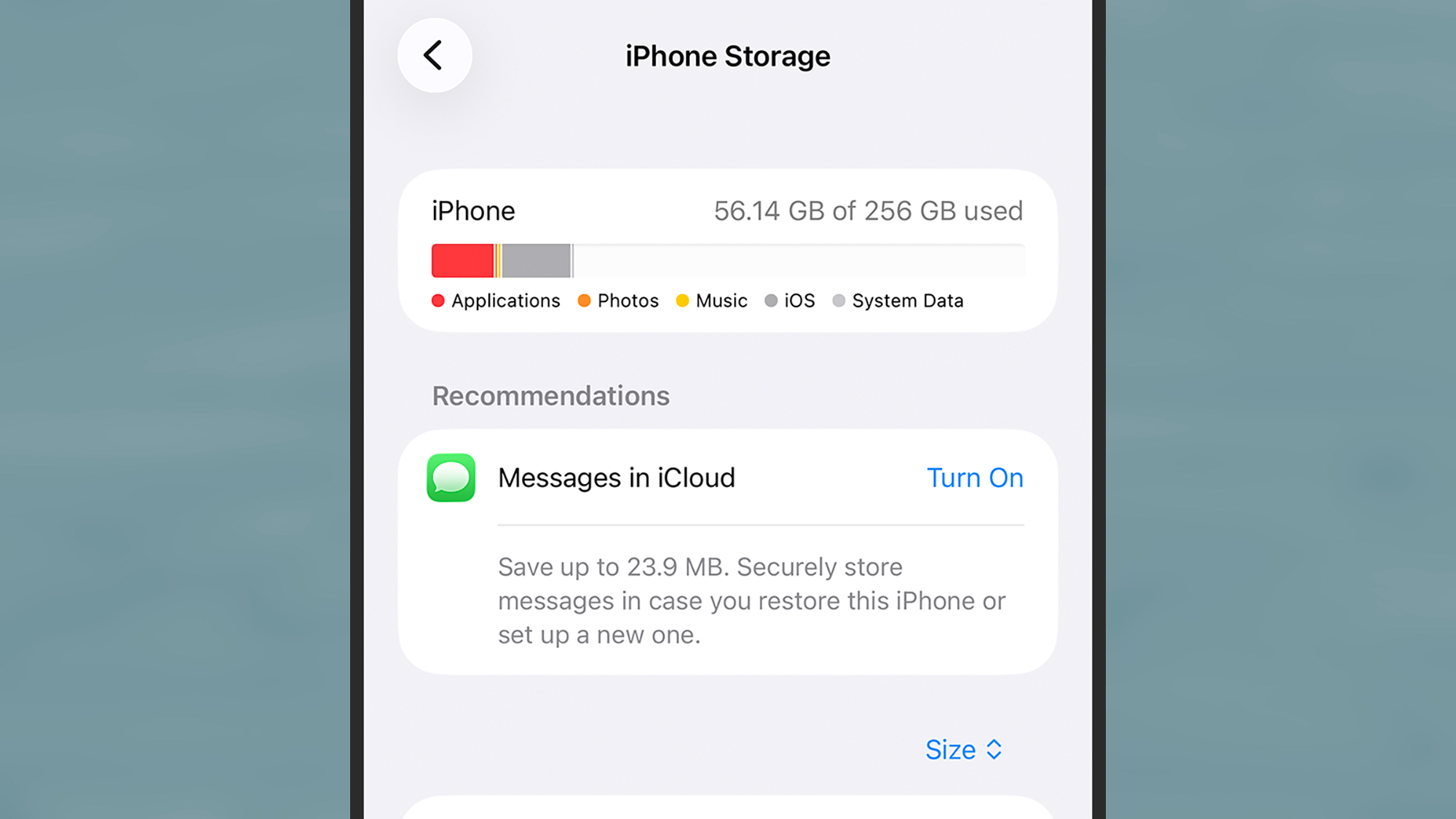
screenshot of iphone storage
The iPhone Storage screen in iOS Settings. Screenshot: Apple

You can also uninstall apps from the App Library screen to free up space: Tap and hold on an app icon, then pick Delete App. Bear in mind you can always reinstall these apps again later, or even use the web app versions through Safari, if you find you need them again.

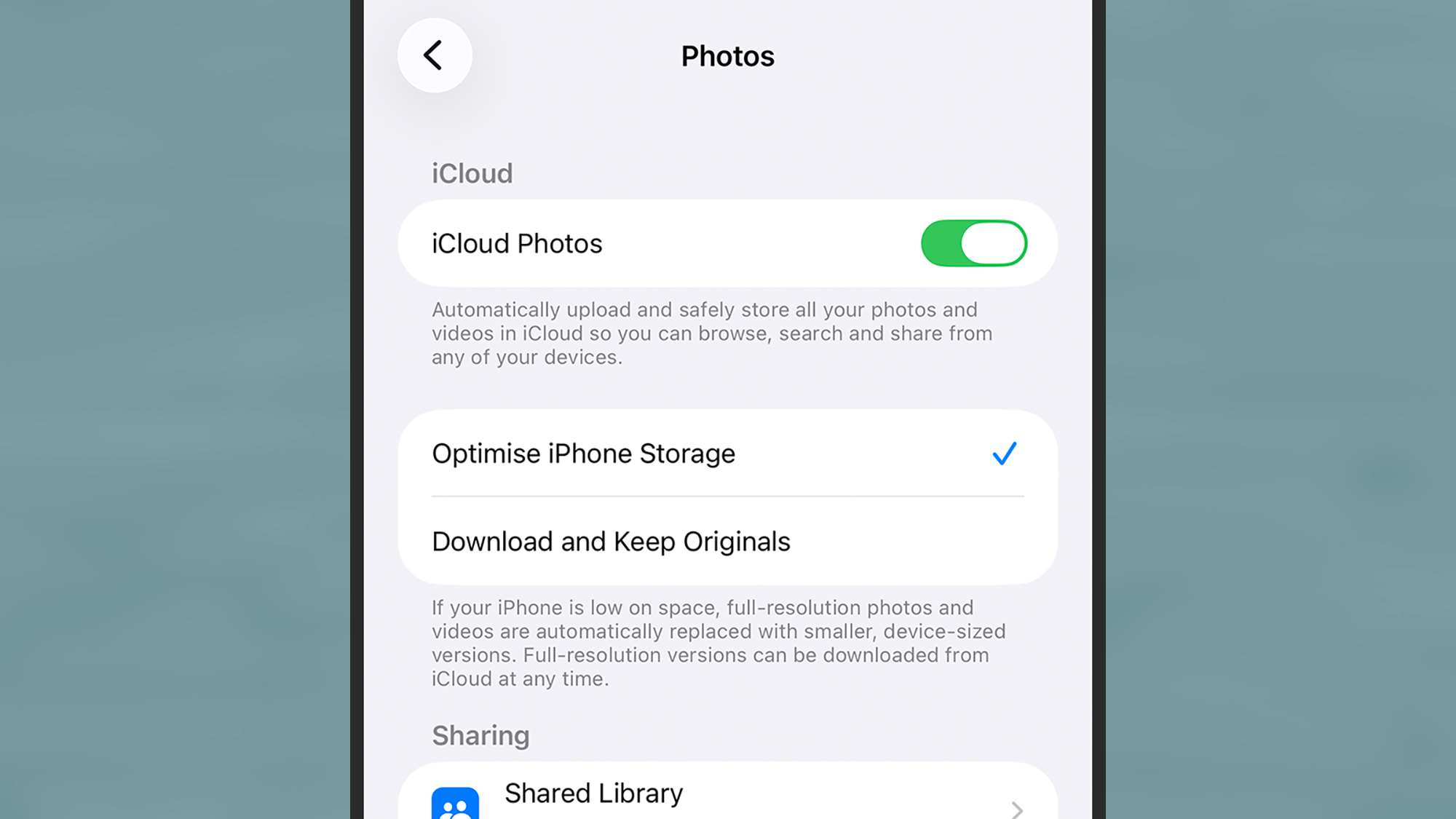
Photos and videos can take up a good chunk of space on a phone. If you open iOS Settings and pick Apps > Photos, you’ll find an Optimize iPhone Storage option, if you’re syncing to iCloud—this means lower-resolution versions of your files will be saved locally, as long as they’re safely backed up to the cloud.

Google Photos for iOS offers something similar, if that’s your photo and video app of choice. Inside the app, tap your profile picture, then choose Free up space on this device and you get the option to delete local copies of photos and videos that are saved in the cloud. With any of these clean-up tools though, remember that cloud copies are not enough on their own—you do need to make sure these files are saved somewhere else as well (like on a laptop), just in case.
screenshot of photos on apple
You can optimize photo and video storage on the iPhone. Screenshot: Apple

It’s worth digging through media apps that may have saved content for watching or listening too offline as well (the iPhone Storage screen will tip you off to some of these). To check downloaded content in the Netflix app, for example, open the My Netflix tab and then choose Downloads.

Finally, you can use the iOS Files app for manual deletions as well. From the Browse screen, tap On My iPhone: Long press on a file to find the Delete option, or tap the three dots (top right) and Select to pick multiple files (a trash can icon will show up at the bottom). The files get moved to the Recently Deleted folder for 30 days, and after that they’ll be wiped permanently.

 

products on a page that says best of what's new 2025

2025 PopSci Best of What’s New

 

David Nield produces how-to guides and explainers on everything from improving your smartphone photos to boosting the security of your laptop.


Source link

Visited 1 times, 1 visit(s) today

Related Article

You Should Change This One Camera Setting Across All Your iPhone Apps

Dikushin/Getty Images Chances are you’ve already made one of the biggest mistakes you should never make on your iPhone: giving your apps full access to your camera and camera roll. According to a 2021 analysis by Apple device management and security company Jamf, these are the top

Should You Buy An iPhone Directly From Apple Or A Carrier?

Wongsakorn 2468/Shutterstock The iPhone is one of the most popular smartphones on the market today. If you want a bigger and more responsive screen, a top-quality phone camera, longer battery life, and faster charging, you may want to look into the iPhone 17. It’s now armed with

6 Android apps I keep on my phone specifically because they ignore AI

Every time I open my gallery app, I look at the AI-generated highlights, the auto-curated collections, and the suggested edits, and I think to myself, “Is this really necessary?” Sure, you can disable AI features on your Android phone one toggle at a time. Google Photos added a switch for its Gemini-powered search in early

Former US Army CIO Leonel Garciga says that the tension playing out with US Army’s rapid adoption of AI technologies is …

The US Army is reportedly racing to integrate artificial intelligence and digital tools across its operations. However, the former chief information officer Leonel Graciga feels that the real challenge isn’t the technology, it’s the people. “The hardest part is never the tech, ever,” Garciga told Business Insider. “It’s getting workers to rethink how and why

International Calling Apps Market Analysis By Application,

The International Calling Apps Market reached a valuation of 12.35 billion in 2025 and is anticipated to expand at a CAGR of 12.11% during the forecast period from 2026 to 2033, ultimately attaining an estimated value of 30.82 billion by 2033. Market growth is being driven by increasing demand across industrial, commercial, and technology-oriented applications,

Tesla Model Y L. Why Would You Pick The Y?

Support CleanTechnica’s work through a Substack subscription or on Stripe. On my recent trip to China, I headed to a BYD dealer to test drive models, but I ended up at the wrong location. NIO, XPENG and Tesla showrooms were next door. As with many parts of my trip, I just went with it, and

EVs Are Out of the Headlines and That’s Exactly Why These 2 Stocks Are Buys

It’s not often that $10 trillion markets appear. But that’s exactly what is happening right now with the robotaxi market. “We think US$8 [trillion] to US$10 trillion for the entire autonomous taxi opportunity throughout the world, from almost nothing,” predicts Cathie Wood, the CEO of Ark Invest. “That’s how quickly AI is going to cause

Top 10 Best Free VPN Apps to Consider in Russia

As more people use mobile devices for browsing, apps, messaging, travel, gaming, and public Wi-Fi access, VPN applications have become a common tool for managing online connectivity. For users in Russia, Android VPN apps are often searched for because they provide a simple way to connect through available server locations and manage virtual location settings

5 Office Gadgets And Accessories Your iPhone Can Replace For Free

Stock 4you/Shutterstock When the iPhone was first released in 2007, it didn’t just set the bar for how people expected their mobile phones to look, but it also changed the way we used our phones entirely. Because of how it fits so perfectly into the Apple ecosystem,

I had a problem staying off my phone until this unexpected app came along

Phones and apps are addictive. That should come as no surprise to anyone reading this. The craving for a steady feed of low-quality dopamine lures us back to our phones again and again, even when we really should be doing something else entirely. I understand that problem, because I live it. I’ve been using smartphones

This app helps your iPhone feel less crowded for $30

We may earn revenue from the products available on this page and participate in affiliate programs. Learn more › TL;DR: Cleaner Kit uses AI to find duplicate photos, compress videos, and organize files to free up iPhone storage. A lifetime subscription is on sale for $29.99 (reg. $104.97) Phones tend to have a way of claiming they’re

WhatCable app identifies USB-C cable capabilities on Mac

WhatCable, a free and open-source app for Apple Silicon Macs, can tell you what each of the cables in your stash can do, solving a big problem with USB-C cables. Did I mention it’s free? Dwight Silverman Sometimes, the littlest things make the biggest differences. Take, for example, a tiny app released on May 1

Global Battery Cases for Electric Vehicle Market Size

Battery cases for electric vehicles are structural components designed to encase and protect power battery packs, typically made from aluminum alloys, high-strength steel, magnesium alloys, or composite materials, offering high strength, corrosion resistance, effective heat dissipation, and sealing performance. These cases provide mechanical support and protection against impacts, vibrations, moisture, and dust, while integrating thermal

0
Would love your thoughts, please comment.x
()
x