If your phone ever connects to a 2G network, you’re putting yourself at a grave security risk that could let hackers monitor all of your data, including passwords. Depending on where you live, it’s unlikely your phone will ever drop to 2G, but if you live in a rural area or in a location where modern 4G/5G networks are new, you might occasionally drop to 2G unless you disable this function.
In Europe, many carriers are keeping their 2G networks alive as a fallback until 2029 or 2030, while in the US, most carriers have already switched away from 2G. Here’s how to force your phone to never use 2G so that you don’t run into this security nightmare that could literally give hackers full visibility into the data you’re sending on your phone.
2G could expose your data
A bit of history

In the early 2000s, carriers were trying to figure out how to offer fast, ubiquitous internet to mobile devices. There were two main competing phone standards at the time: GSM and CDMA. Both of these early networks offered dial-up modem speeds (similar to 56k) plus very slow latency (back then, sending and receiving data could take many seconds — it was terrible!).
Later, these 1G networks evolved into faster 2G networks: CDMA adopted 1xRTT, and GSM adopted EDGE. Both offered faster speeds of 50-100kbps but had last-century security because they were built for efficiency and scale, not for the data-hungry devices of today.
The carriers then evolved to 3G, 4G, and 5G standards, which both increased speed and decreased network latency (though battery life on 4G can sometimes be better than on5G). But more importantly, these new wireless standards vastly improved security — they required two-way authentication, making connections trusted and secure.
How do you know if you’re ever on 2G? Your cellular status bar will say “2G” or “E” instead of “5G” or “LTE” (here’s a refresher of what LTE is).
How wireless networks have changed from a security standpoint
Why 2G is very insecure

Modern 4G and 5G networks require two-way authentication. That means your phone must prove its identity to the network, and the network must prove its identity to your phone for a data connection to be open and active. This ensures that your phone is connected to a trusted carrier network, which is important when you’re sending sensitive information like account passwords and bank info over the cell networks.
But 2G has one-way authentication only, meaning the network requires your phone to prove its identity, but the reverse is not true: on 2G, your phone does not require the network to prove its identity, so you could be connected to a hacker and not even know it. This means hackers can set up rogue networks to route traffic from 2G devices for monitoring. Since your phone will connect to the strongest signal, it might unintentionally connect to a rogue 2G network that can monitor your traffic, likely without proper encryption (here’s how encryption works).
2G uses outdated encryption that can be broken in real time, allowing passive eavesdropping on conversations and data. That’s very scary.
On 2G, your phone does not require the network to prove its identity, so you could be connected to a hacker and not even know it.
How to disable 2G on Android
There are multiple methods
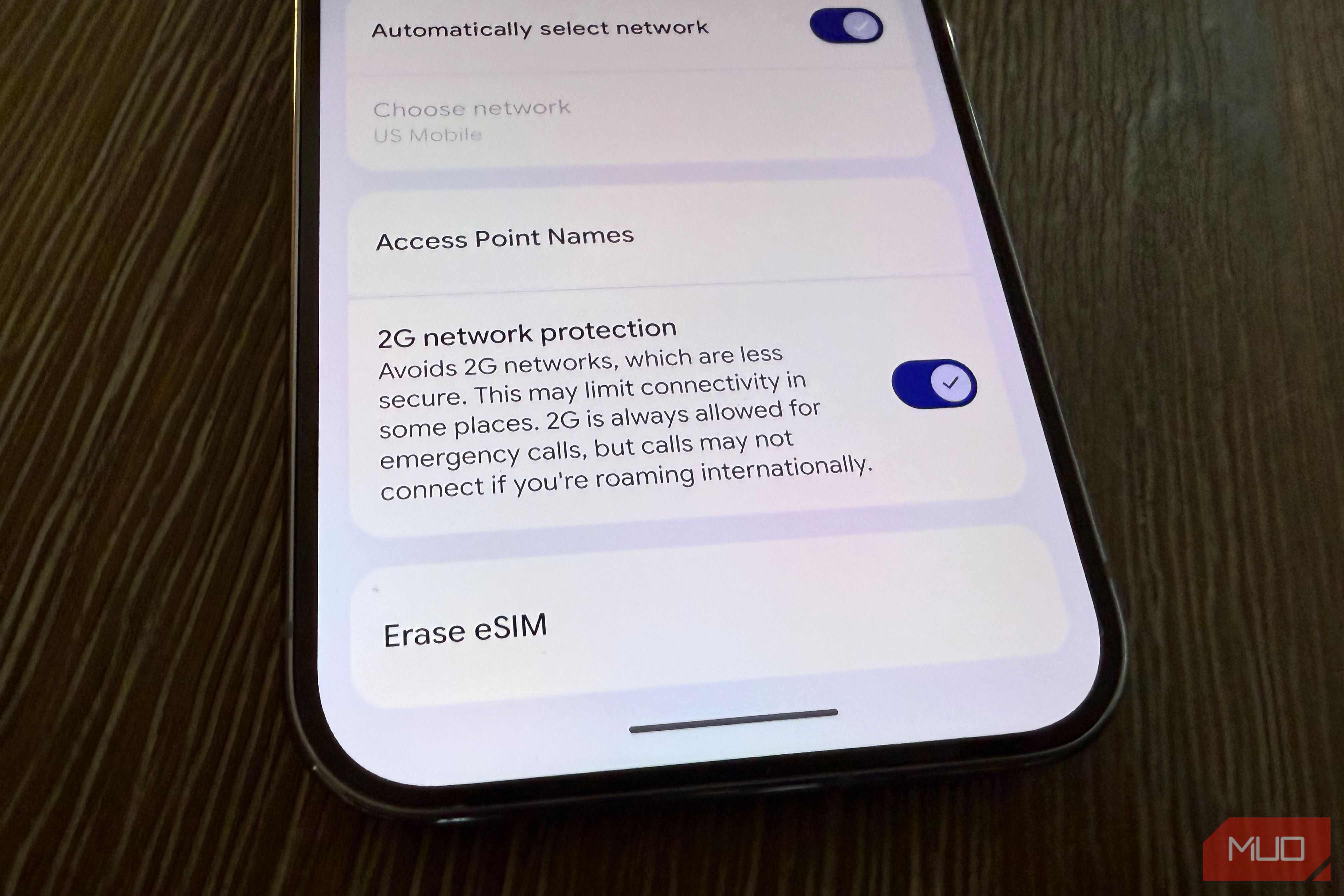
Method 1 (Preferred): Android Settings
This method varies depending on which phone you have, but generally, you can find the 2G kill switch in Settings -> Network & Internet -> SIMs -> Tap your active SIM -> Scroll down to “2G network protection” and turn off. Depending on the phone, this might also be listed as “Allow 2G” or “2G network preference.” In any case, turn off 2G.
Method 2: Use the phone code
If method one doesn’t work, especially on older Android phones, open your phone dialer and type *#*#4636#*#* -> tap Phone information -> under Set Preferred Network Type select a configuration that does not include GSM (like LTE/WCDMDA or LTE Only).
Note that Method 2 will also lock you out of 5G networks, which is not ideal and should only be used if you live in a rural area where you notice slipping into 2G (you can tell by looking at the status bar near the cell signal bar).

eSIMs Can Be Hacked, but I Keep Mine Safe With These Tips
A few simple steps a day keep the hackers and cybercriminals away.
You’ll probably never end up on 2G, but it’s not worth the risk of leaving it on
Again, most carriers and phones have moved beyond 2G, but in some rural areas and in certain countries, these highly insecure networks are still accessible as a fallback to the more secure 4G and 5G networks that are now pretty much everywhere. The fact that a phone can briefly drop to 2G — and do so without you realizing it — means your internet traffic could be exposed to bad actors. That risk alone makes a strong case for disabling 2G connectivity on any phone that still allows it. And if your device doesn’t offer a 2G toggle, that’s actually good news: it means your carrier or operating system has already taken steps to block this outdated and insecure connection for you.