I spent an entire month last year using the Xiaomi 15 Ultra as my primary camera. It ticked a lot of boxes for me as a long-time photographer, and has become my favorite camera phone, not least for the natural photo quality from its large 1-inch sensor.
That phone was recently updated with the Xiaomi 17 Ultra, which appears to be a relatively minor upgrade, but which shares the same hardware as Leica’s first globally available phone (other than in the US), the co-branded Leitzphone. (There was no Xiaomi 16 series, as Xiaomi hopes to “directly [compete] with the iPhone in the same generation.”)
Image 1 of 2
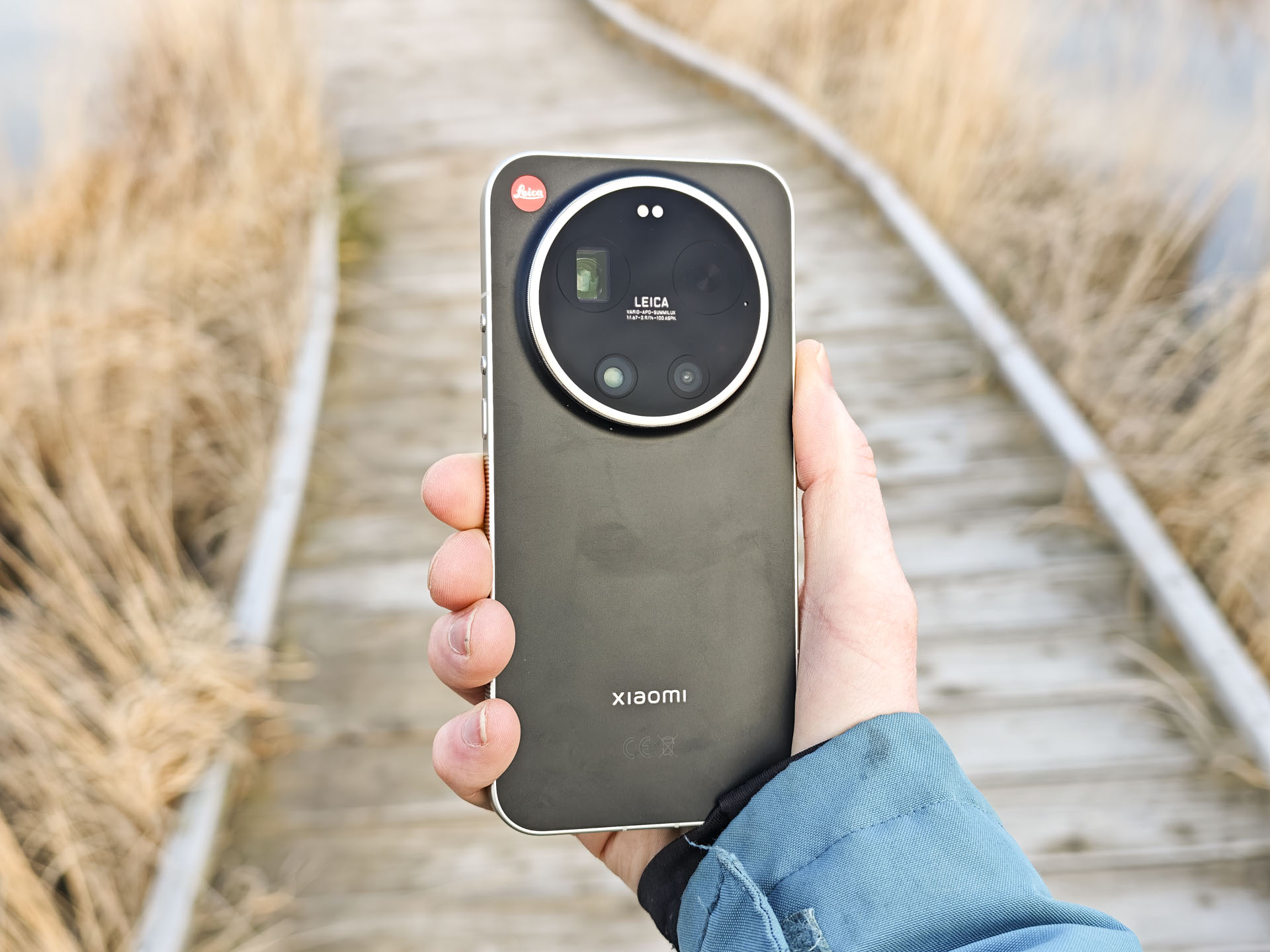
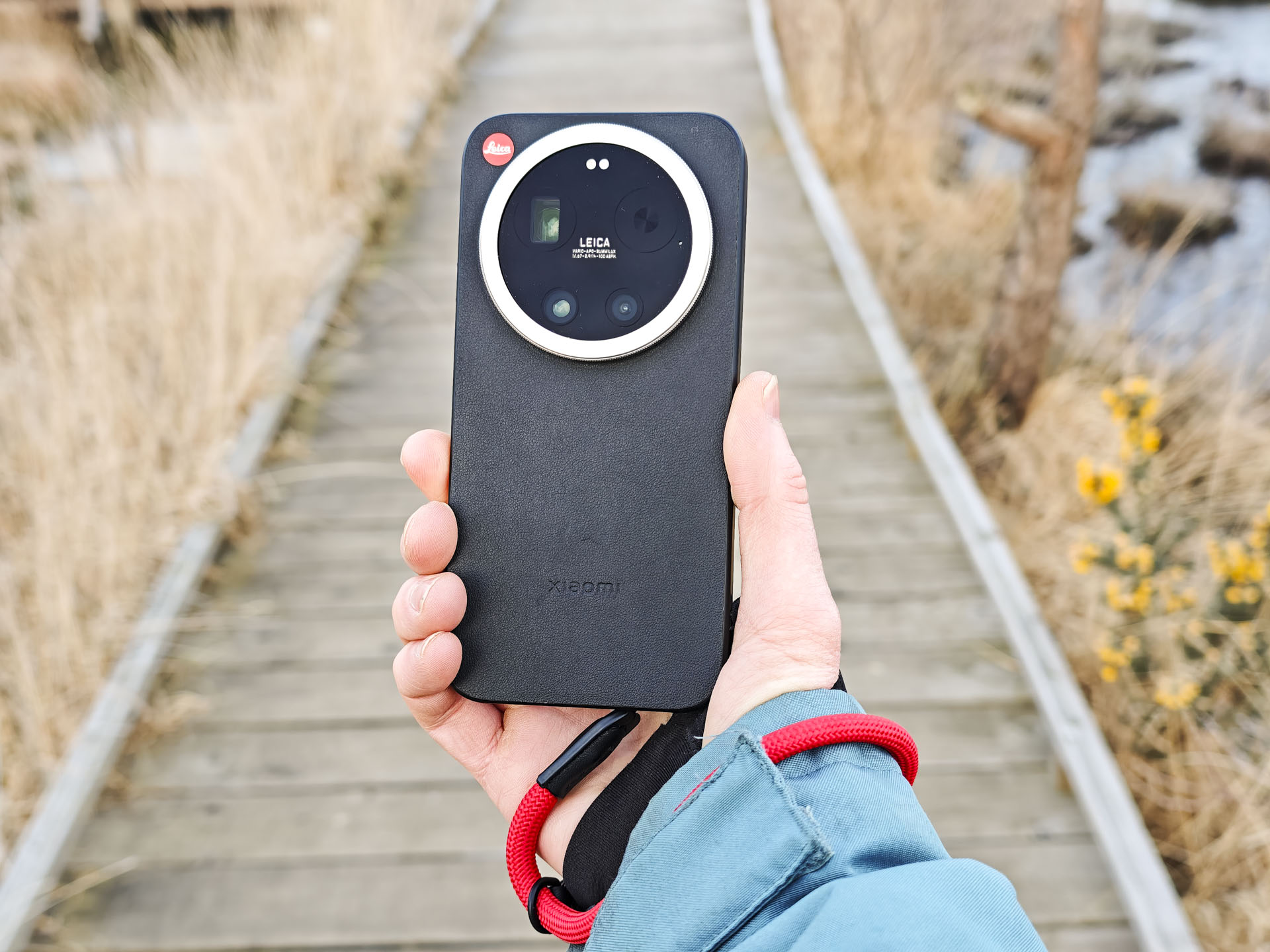
Leica has added its own design twist on the phone’s exterior and it’s a characteristically classy one, with a black finish and a knurled silver trim, plus a unique mechanical control ring that surrounds the circular camera unit and which can control zoom, but which be assigned to another control instead, such as exposure compensation.
There’s also a nod to Leica’s camera UI, with the camera app UI sharing the same style and typeface, which will be familiar to folks who have used a digital Leica camera such as the D-Lux 8. And, perhaps inevitably, when it comes to price there’s also the ‘Leica tax’: the Leitzphone costs £1,700 / AU$2,299 (around $2,000), which is around 20% more than the Xiaomi 17 Ultra.
Ah I mean Leica’s UI for the camera. So the typeface and style of the camera app’s UI is the same as Leica cameras
I approached my time with the Leica Leitzphone effectively treating it as an upgrade of my favorite camera phone, and so I couldn’t resist comparing its image quality to that of my pro mirrorless camera in a few tests.
I’ll soon share a deep dive on my experience with the Leitzphone as a photographer, based on using it every day over two weeks, but here I’m going to highlight one aspect of that experience: comparing the same portrait taken with the Leitzphone’s telephoto camera and with my Nikon Z6 series camera paired with the superb Viltrox 85mm f//1.4 Pro lens.
Leitzphone vs full-frame mirrorless
Before I take you through how I shoot and edit portraits with the Leica Leitzphone, let’s take a look at the two photos together, and see if you can spot which one is which.
One photo is taken with the Leica Leitzphone’s telephoto camera, the other with a Nikon Z6 II and Viltrox 85mm f/1.4 Pro. For context, the kind of quality that my camera and lens pairing is capable of is equivalent to camera gear costing in the region of $5,000 / £4,500 / AU$8,000.


Reckon you know which photo was taken with which camera?
How I shoot portrait photos with the Leitzphone
You might have an idea already, but before I reveal which photo is taken with which camera, allow me to unpack how I came to the final edit of the portrait shot with the Leitzphone.
I used the Leitzphone’s 3-4x telephoto camera to get a similar perspective to the stunning Viltrox 85mm f/1.4 lens used in this comparison. However, the 1-inch sensor of the phone, while bigger than the sensors in most other phones and able to blur backgrounds nicely, is dwarfed by my full-frame mirrorless camera’s, and therefore the background blur, or bokeh, needs an additional helping hand.
For portraits, the Leitzphone offers a ‘portrait’ mode. It utilizes the 3-4x telephoto camera, and the captured photo looks the same as if you’d used the camera’s regular photo mode. However, there’s one key difference: the edit.
Selecting portrait mode enables a bokeh effect option — you can use a slider to dial in (fake it) a wider aperture effect. I selected f/1.4 to match my mirrorless camera’s aperture setting (see the screen recording below).
It’s also possible to select a bokeh shape — I opted for the natural (and desirable for purists) circular bokeh shape, while the Viltrox’s bokeh is a little more cat’s-eye, so now it might be a little more obvious which image is which.
Another tell is that the Leitzphone captures a greater depth of field than a full-frame 85mm lens at f/1.4, so the detail in the subject is sharper throughout, whereas the Nikon mirrorless camera portrait’s depth is shallow — see the end of the beard, which is out of focus.
If you haven’t already worked it out, the top image was taken with the Leitzphone, and the bottom one with my Nikon Z6 II and Viltrox 85mm f/1.4 lens. I don’t blame you if you struggled to tell the difference, especially if you’re reading this feature on mobile — the differences between the two are minor, and proof of just how smart smartphone cameras have become.
In a way, the Leitzphone offers the best of both worlds in this scenario – big bokeh (albeit achieved computationally) with more depth in the subject. At a pinch, you could stop the mirrorless lens aperture down for more depth in the subject and go through the same edit process to increase bokeh size.
While I was at it, I did a light edit on the brightness, sharpness and tones of the Leitzphone portrait to get the look I liked. The preview makes the bokeh effect look ugly when you view the edit close up, but once the image is saved, most of those artifacts around the subject are gone (see before and after, below).
Image 1 of 2


Honestly, when you look at the end result from the Leitzphone’s portrait mode, it’s mind-blowingly good.
I don’t know about you, but the effect is so convincing, especially when viewed on a smart device, that I would happily use the Leitzphone for portraiture. It’s not about to replace my mirrorless camera, but it might just make me think twice about packing it.
I’ve added a few more photo comparisons below. I hope you enjoy — and let me know what you think about the Leitzphone in the comments below.
Image 1 of 6





Follow TechRadar on Google News and add us as a preferred source to get our expert news, reviews, and opinion in your feeds. Make sure to click the Follow button!
And of course you can also follow TechRadar on TikTok for news, reviews, unboxings in video form, and get regular updates from us on WhatsApp too.