The INBook X3 Slim is the updated version of the INBook X2 Slim, Infinix’s entry-level ultra portable notebook. The updated model features 12th Gen Intel chips, which might not sound that impressive but isn’t uncommon for entry-level models.
The INBook X3 Slim we have for review here is a 14-inch model with an all-metal construction, slim and light design with 14.8mm thickness and 1.24kg weight, backlit keyboard, and 65W fast charging. These may be table stakes for more expensive machines but are very uncommon in this price range, which is around $360 to $578.
Design
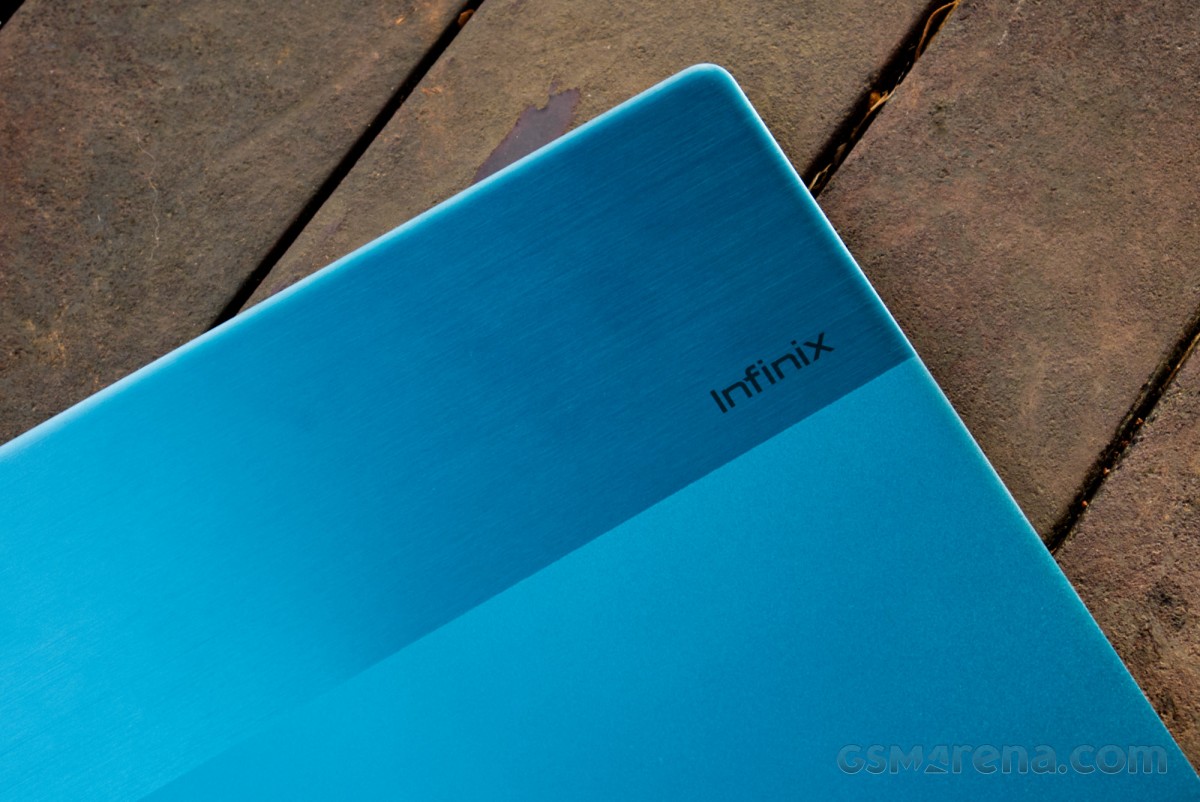
By far the best feature of the INBook series is its design. The INBook X3 Slim features clean, elegant lines with attractive colors and textural details. The lid has a lovely two-tone finish, with a matte lower surface and a brushed metal finish for the top third. The rest of the machine has the same matte finish as the lid.
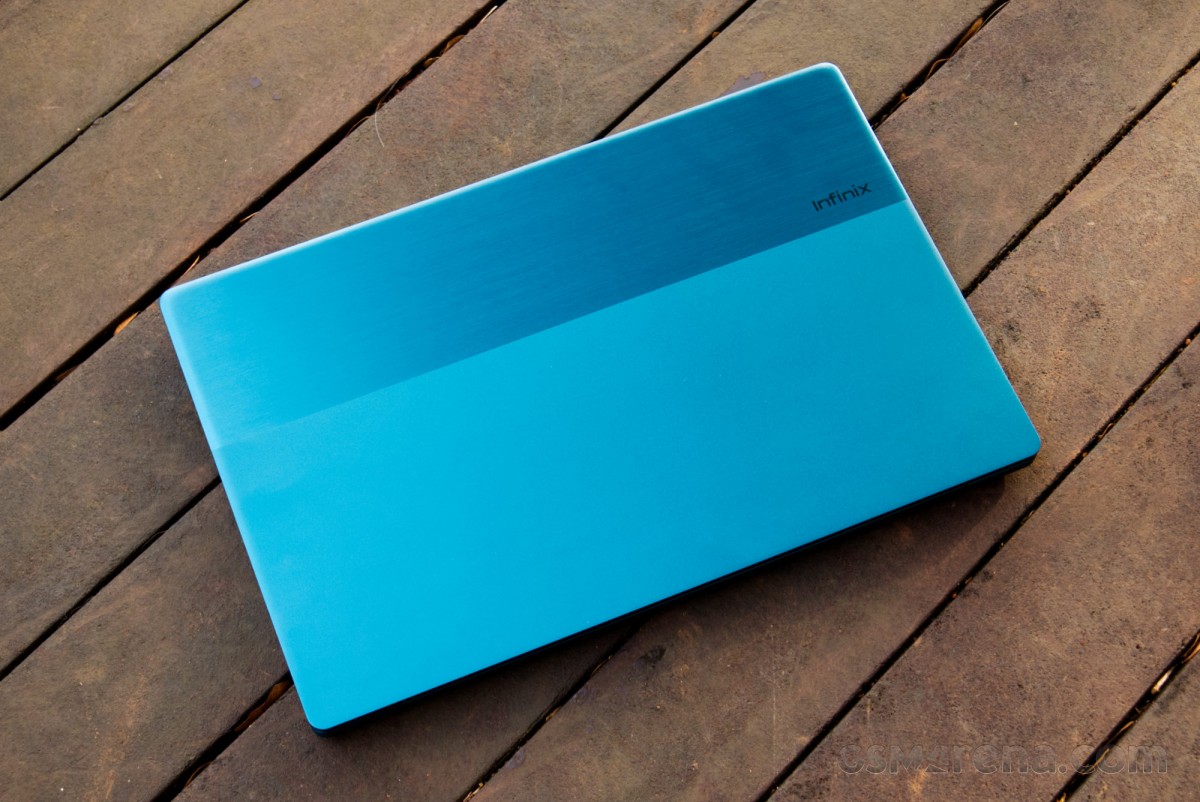
The INBook X3 Slim comes in four colors, Cosmic Blue, Noble Red, Starfall Gray, and this gorgeous Aurora Green pictured here.
Almost everything you touch, including the lid, the keyboard deck, and the back cover, is made out of aluminum. The X3 Slim is fairly thin at just 14.8mm at its thickest point and weighs 1.24kg. That’s the same weight as the M2 MacBook Air while being just over 3mm thicker.
Build quality, while not being as good as the MacBook Air, is still decent. There is a small amount of flex in the keyboard deck but nothing concerning and the X3 Slim still feels well put together.
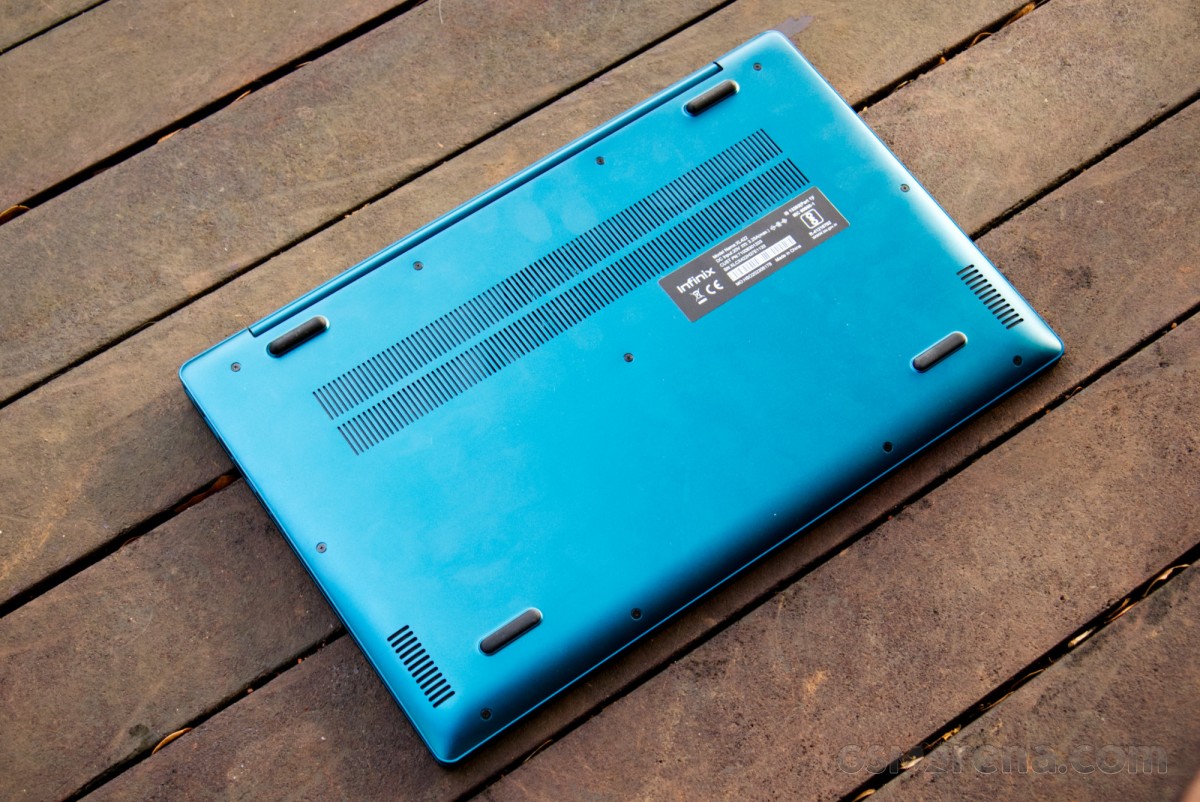
The design does have some drawbacks. The hinge for the lid is too stiff for a machine of this weight class and it’s impossible to open without lifting the base with it. Infinix also never equips its notebooks with a decent cutout in the base to let you grab the lid so you have to always pry it open with your nails or fingertips.
Aside from that, the design has no major issues. All things concerned, this is a well-designed notebook, especially for the price category.
Display and webcam
The INBook X3 Slim has a 14-inch, 16:9, 1920×1080 resolution, 60Hz IPS display. The display has claimed 100% sRGB coverage and 300 nits of peak brightness.
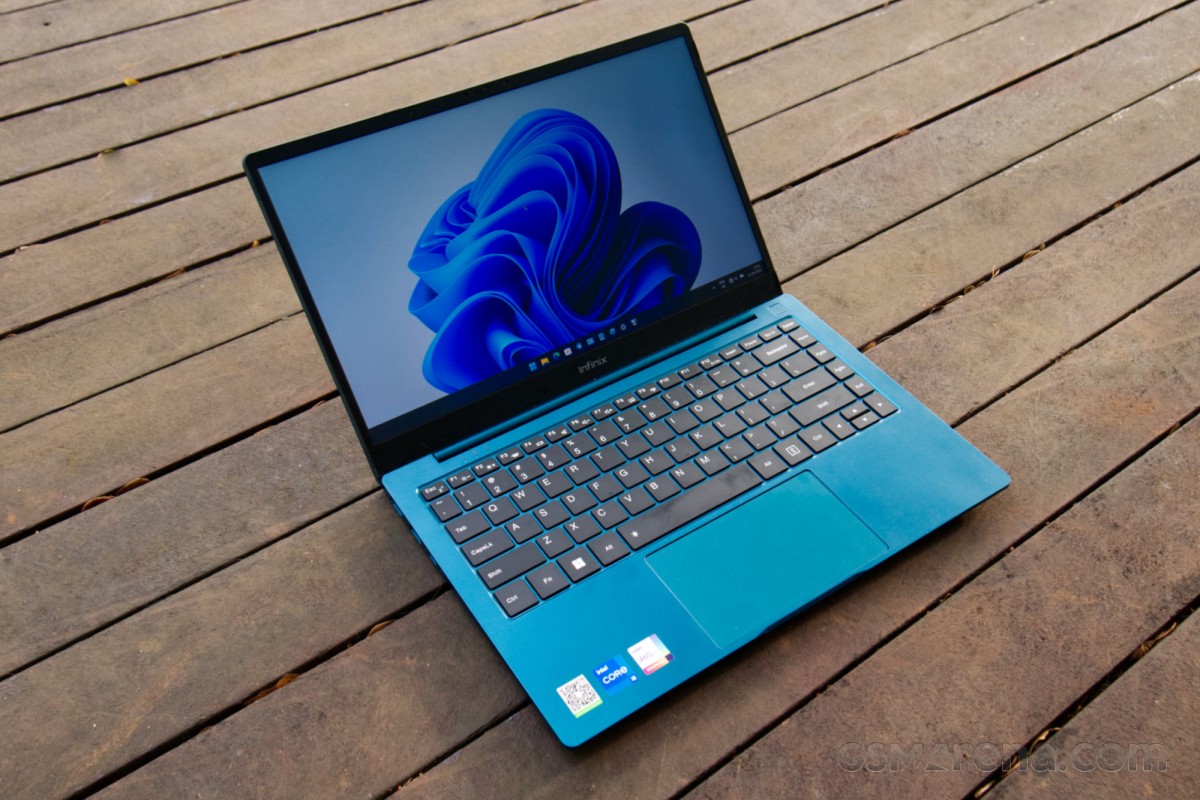
The display on the INBook X3 Slim is a mixed bag. On one hand, it is impressive that Infinix is providing an IPS display with 100% sRGB coverage in this price range. On the other hand, there are issues with both, the calibration and the panel itself.
First, the good news. The display has excellent coverage of the sRGB color space, 98% to be exact. This means a vast majority of content will be fully realized by the display’s color output, which would be sufficient for anyone who isn’t a photographer or video editor who works in wide color.

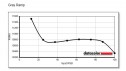


Display report
Secondly, the display has very good measured color accuracy. Most of the color samples tested measure below the humanly perceptible error dE 2.0 threshold. This means colors usually look like they are supposed to. The display also has decent contrast and good gamma tracking. The viewing angles from the IPS panel are also quite good.
Things go a bit downhill from there. First of all, the display has an atrocious white point of over 10000K, which makes the screen look extremely cold and blue. It almost doesn’t even matter that the rest of the color reproduction is very good because it is impossible to not notice the blue color cast.
Fortunately, there is a relatively easy fix for this and that is the Night light setting in Windows 11. This setting just adds warmth to the display and setting it to 35 brought the color temperature close to the D65 standard of 6504K.
This does come at a cost, however, which brings me to the next issue. The advertised 300 nits of brightness isn’t super generous to begin with but the actual measured brightness was only around 240 nits.
However, this is with the aforementioned 10000 K white point; changing it with the Night light setting (or a full hardware calibration, for that matter) to the more accurate D65 value drops the brightness down below 180 nits. This shows why Infinix, and indeed most other laptop manufacturers, set their white point too cool as it lets them inflate the peak brightness figures.
Another issue with the display is the panel response times. While a 60Hz refresh rate is perfectly acceptable in this price range, the panel response times are rather poor. This causes all movement on the screen to be accompanied by noticeable and distracting motion blur. Fast response times aren’t just desirable for gaming; they affect all moving content on the screen so everything from scrolling web pages and video content looks bad in motion on the X3 Slim.
The display uses a matte panel. This helps with the less-than-satisfactory brightness levels as you aren’t fighting sharp reflections to see the screen but it does come at the cost of a softer image and reduced perceived contrast in the dark.
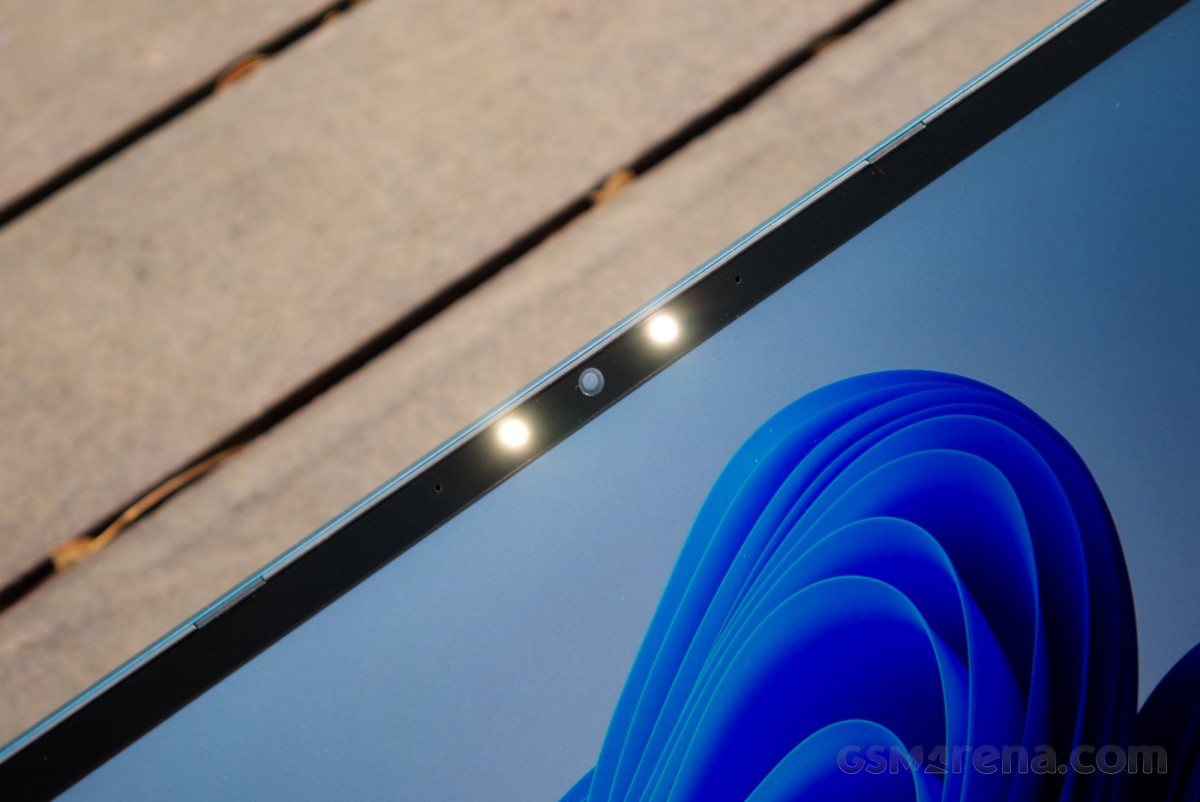
One notable thing about the display is not the panel itself but rather the bezel around it. The display has impressively thin bezels all around, which are very minimal and barely noticeable.
Speaking of the bezel, the top bezel has the 720p webcam flanked by dual LED lights. The webcam quality is bad but not so bad that it can’t be used at all in a pinch, especially in a decently lit environment. Unfortunately, there is no privacy cover for the webcam and, worst of all, no indicator either that the camera is on. This is a rather appalling lapse in security measures and means if it’s something you are concerned about then putting a tape on it is your only solution.
The dual LED lights don’t help at all. The camera really doesn’t benefit from them, your face looks weirdly lit, and the final output is not worth blinding yourself for. It’s bizarre that they thought this was worth adding at all and it’s especially bizarre that the LEDs have a status light on the keyboard to know when they are on when the webcam doesn’t. I mean, why would you need a third small LED to tell you the two blinding LEDs in your face are on? And why did this take priority over an LED for informing the camera is in use?
Keyboard and trackpad
The INBook X3 Slim has a standard chiclet-style keyboard design. Aside from the standard keyboard layout, you also get a row of page navigation keys on the right side. The keyboard also rather gratuitously has dedicated keys for Insert, Pause/Break, and Scroll Lock.
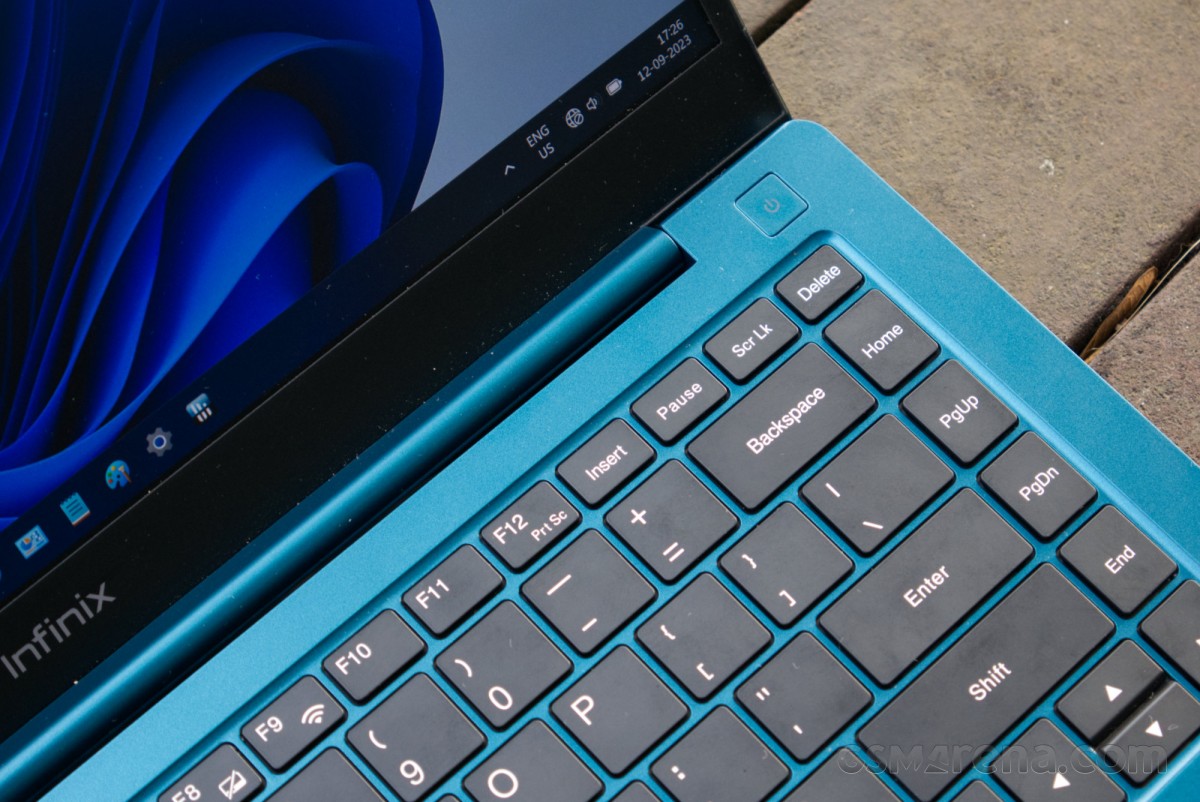
The top row is function keys with secondary functions assigned to them, which you can access by holding down the Fn key. Normally, there would also be an option to switch the default, so the shortcuts become the default, and the function keys need to be accessed by holding down Fn. But as we have seen before, Infinix does not provide such functionality on its notebooks so if you are like me and use the shortcuts way more often than the legacy Windows functions then you have no choice but to press and hold the Fn key every single time.
The backlighting is always off by default and will turn off if the machine is restarted, requiring you to manually turn it on every time. It’s also set to a relatively short 20-second timer after which it turns off, so if you take a short break while typing then you are again left in the dark, which can be frustrating.
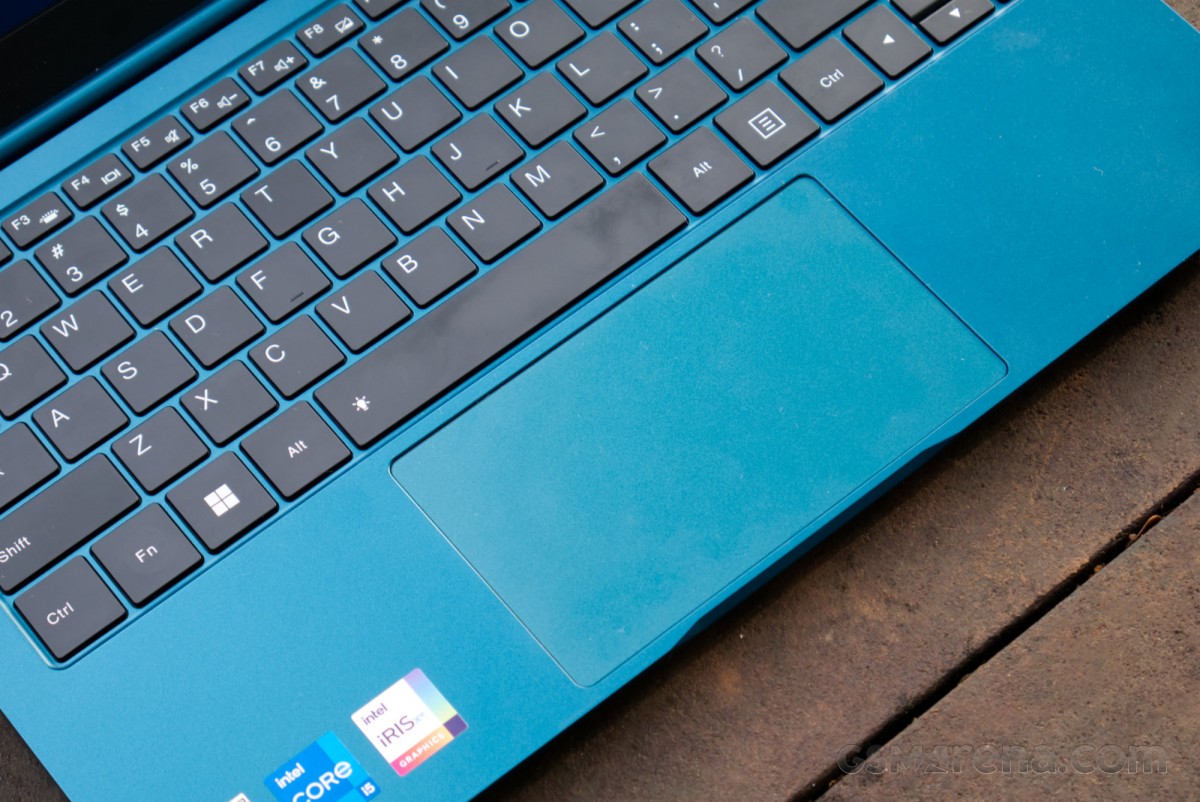
The INBook X3 Slim has a fairly large trackpad that measures 12.4mm wide and 7.1mm tall. The trackpad is made out of plastic and is hinged at the top.
The trackpad works reasonably well with decently accurate tracking and gesture support. The plastic surface isn’t very smooth and your finger tends to drag a little while moving around. It’s also not especially tall so you tend to run out of vertical room while scrolling. Meanwhile, the extra width doesn’t really come in handy and occasionally gets triggered by your palm when you are typing.
The INBook X3 Slim does not feature a fingerprint sensor. That would have been a great addition to the kit and something other models in this price range do feature sometimes.
Hardware and connectivity
The comes in a choice of three CPU options. You can pick between the Intel Core i3-1215U, the Core i5-1235U, and the Core i7-1255U. The difference between the first two is the number of E-cores and between the last two is the clock speed. That is to say, there isn’t a ton of difference between the three variants.
Our review unit was running on the Core i5-1235U. It features 2x P-cores and 8x E-cores for a total of 10 physical cores and 12 threads (only the P-cores support HyperThreading). The P-cores can boost up to 4.4GHz while the E-cores can boost up to 3.3GHz. Of course, these are opportunistic numbers and not something that can be maintained under sustained load.
This becomes obvious when you take a look at the chip’s power numbers. While it can boost up to 55W under peak turbo load (PL2), the sustained power limit is just 15W (PL1). This is a very conservative figure but typical of the ultra-low-power U-series chips. The 15W limit is common between the i3, i5, and i7 variants, which means while the i7 model might feel a bit snappier due to higher boost clocks, it will drop down to the same 15W under sustained loads.
Memory option includes 8GB LPDDR4X on the i3, 8GB and 16GB on the i5, and 16GB only on the i7 model. Memory is soldered on the motherboard and cannot be upgraded, which is a good enough reason to avoid the i3 model as 8GB is simply not enough anymore on a PC.
For storage, you get 256GB and 512GB options on the i3 and only 512GB on the i5 and i7 models. Regardless of the capacity, it’s a PCIe 3.0 M.2 2280 NVMe SSD, which can be upgraded by the user by opening the back cover.
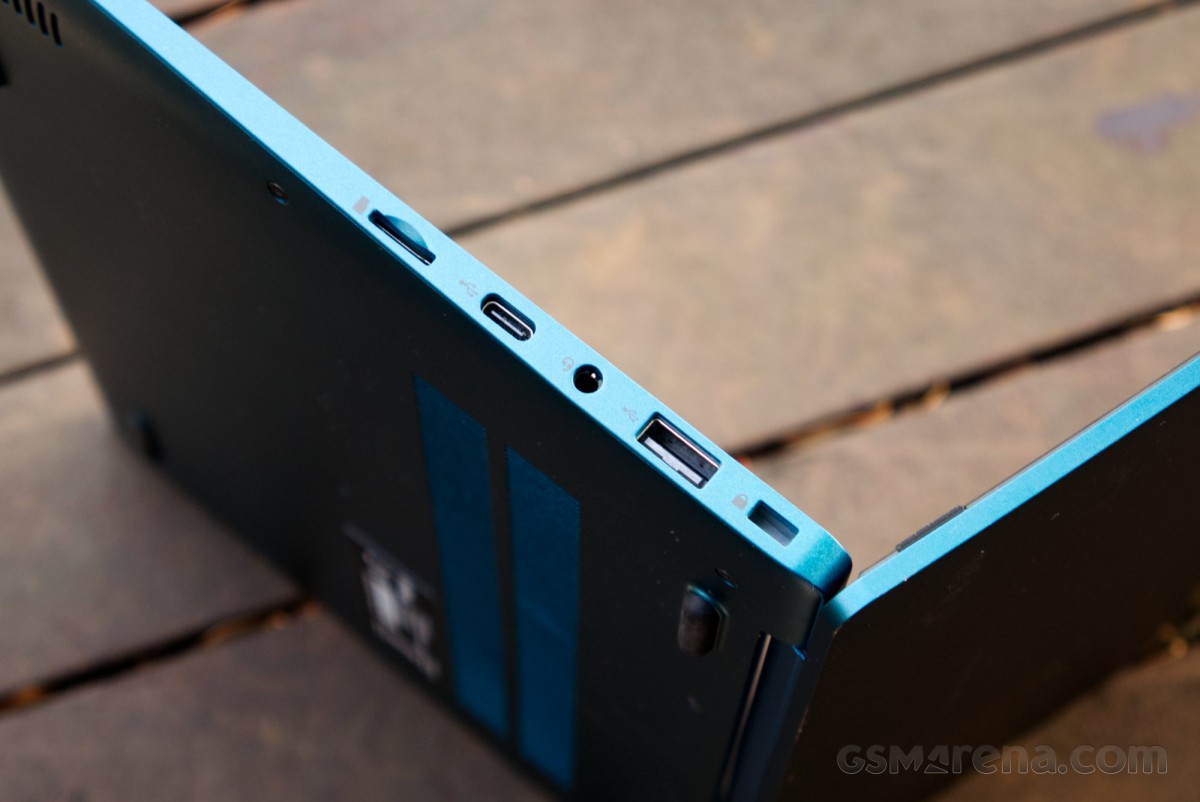
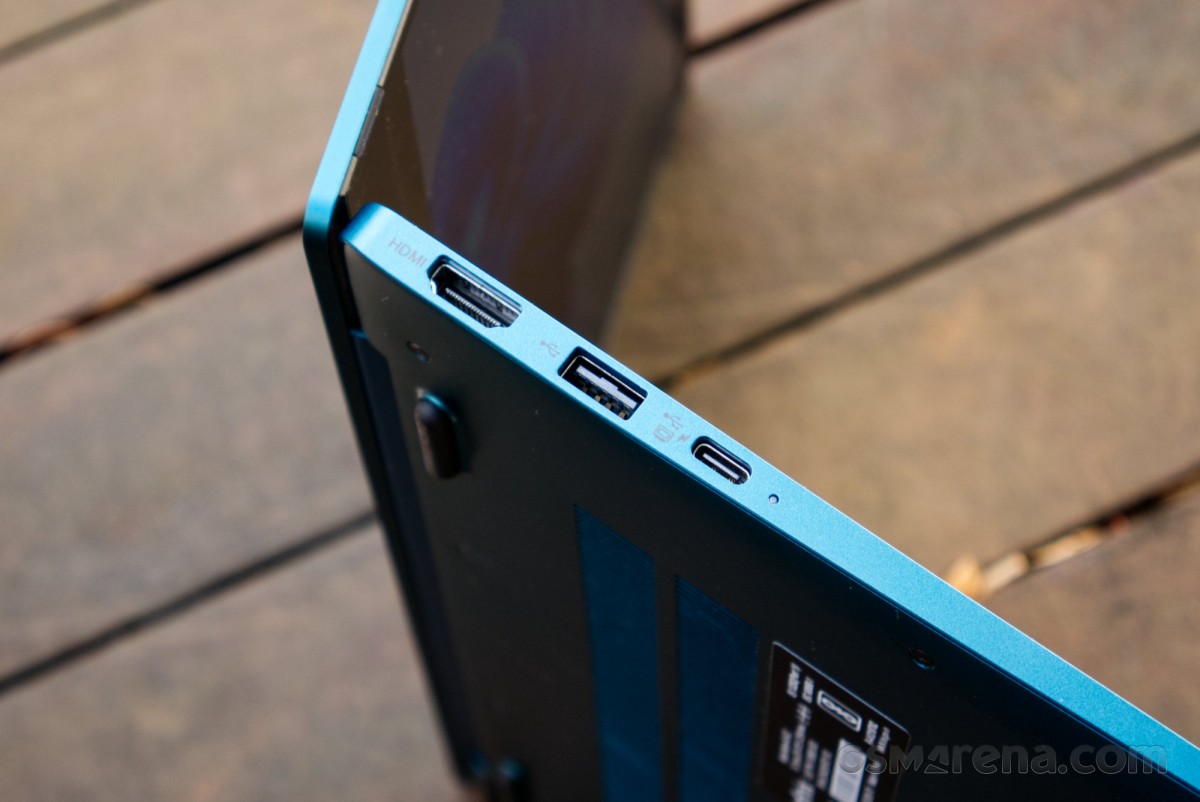
In terms of connectivity, you get dual USB-A and dual USB-C labeled USB 3.0, suggesting a 5Gbps transfer speed. The USB-A ports here are a bit annoying as they have different orientations to one another so you have to remember to flip your cable when moving from one to the other as the right one is upside down.
Charging is via USB-C but only from the one on the left, which restricts you to charging from just one side when it would have been really convenient to charge from either side. There’s also an HDMI 1.4 port, audio jack, and microSD slot.
On the wireless side, you get Wi-Fi 5 and Bluetooth 5.1.
Audio
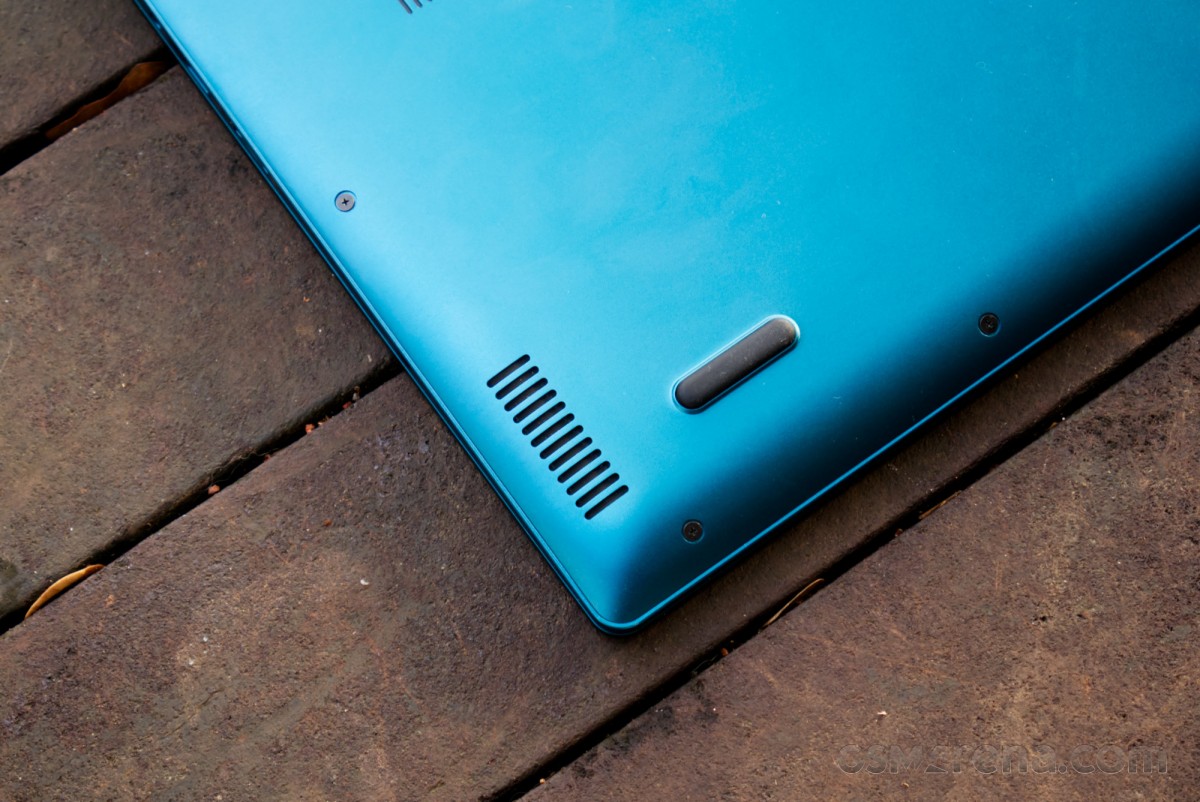
The INBook X3 Slim has a pair of down-firing speakers on either side. The speakers sound very tinny and even the bundled DTS app doesn’t help much.
You are far better off using the headphone jack, which sounds good, and could also get sufficient volume on high-impedence headphones. The microphone quality is also decent for video calls.
Software
The INBook X3 Slim comes with Windows 11 Home Edition pre-installed. One of the good things about Infinix notebooks is there is almost zero bloatware pre-installed. You get an app for contacting support and another for connecting with your smartphone to show things like messages on the PC. As usual, most of the bloatware actually just comes from Microsoft, which is becoming increasingly shameless about the amount of unnecessary stuff it is shoving in Windows and activating by default.
However, Infinix also has issues of its own. Our INBook X3 Slim review unit comes from India where the product is on sale. However, if you visit the company’s website you will see no mention of this product. In fact, the ZeroBook 13 we reviewed back in August is also not yet listed on the website.
This makes it difficult not just to find information on the products but also to get access to downloads for things like BIOS updates, driver updates, and manuals. Infinix just relies on Windows Updates for drivers, which often just installs outdated versions that you then have to manually find and update, and the BIOS cannot be updated at all.
The whole thing reeks of a fly-by-night operation, even though the company has been around for many years now and the product we are reviewing today is a third-generation version. Why then is it so difficult for them to figure out basic things like having a web page and download links for the latest drivers is beyond me.
Performance
The INBook X3 Slim is a surprisingly well-performing machine despite of what the specs might lead you to believe. Everyday operations are handled with a surprising amount of pep and if all you ever do on your machine is watch media, browse the web, work on documents, or do school work then the performance on offer here is genuinely good.
More demanding workloads are not the machine’s forte. Anything that requires a lot of graphics power or memory is out of the question. You can get by with image editing but the less-than-accurate display white point means you will need to plug in an external monitor or invest in hardware calibration tools.
| Cinebench R23 | Single core | 1565 |
| Multi core | 5321 | |
| Cinebench 2024 | Single core | 91 |
| Multi core | 305 | |
| Geekbench 6 | Single core | 2248 |
| Multi core | 8995 | |
| Vulkan | 14806 | |
| Blender | Classroom | 19:38:99 |
| 7-Zip | Compression | 37939 |
| Decompression | 36539 | |
| Corona 10 | Rays/s | 1686808 |
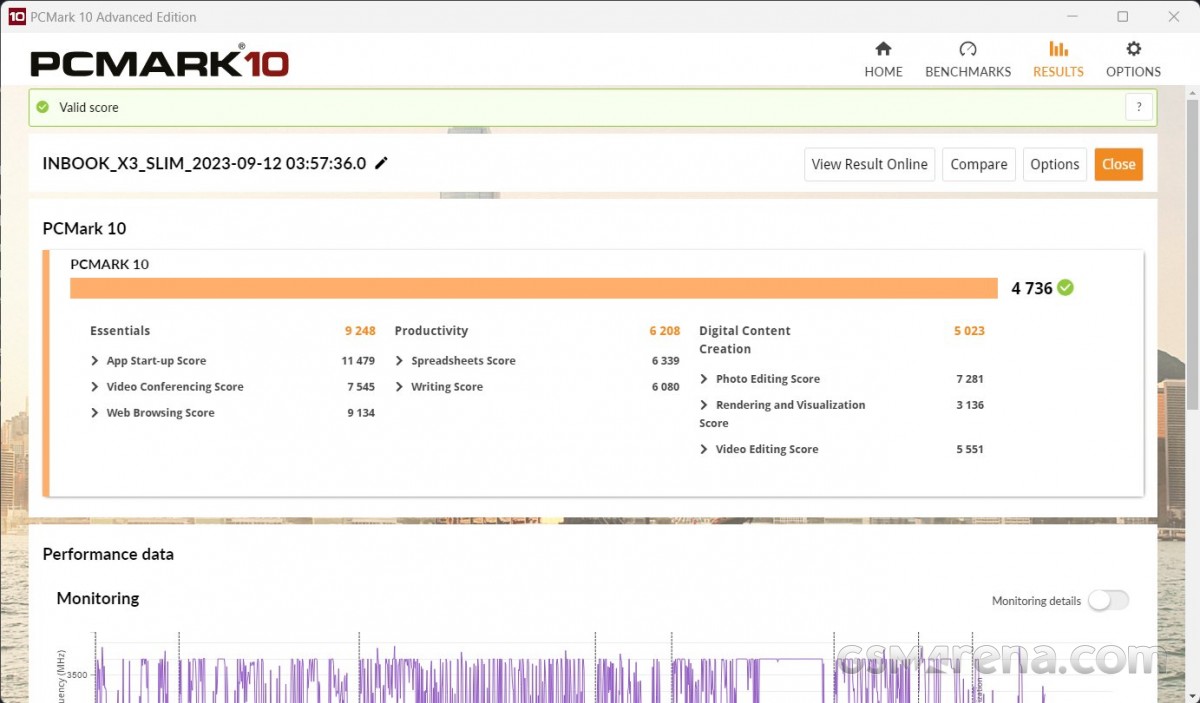
| PCMark 10 | Overall | 4736 |
| Essentials | 9248 | |
| Productivity | 6208 | |
| Digital Content Creation | 5023 | |
| Browser benchmarks (Edge) | JetStream 2 | 241 |
| Speedometer | 335 | |
| Octane 2.0 | 79332 | |
| MotionMark 1.2 | 1070 | |
| 3DMark | Time Spy | 1223 |
| Wild Life Extreme | 2986 | |
| Night Raid | 11413 | |
| Unigine Superposition | 1080p Medium | 2549 |
The INBook X3 Slim doesn’t come across as particularly great in benchmarks as all of them tend to hit the 15W power limit sooner rather than later, which drops the machine’s performance considerably. However, during everyday use, you are unlikely to hit this limit often, which is why the machine feels snappier in use than the benchmarks would suggest.
Gaming was a bit of a sordid affair. The 15W limit under load means even the simplest of 3D games absolutely choke and you are better off investing in something like a Steam Deck or the ROG Ally. The only games that are playable are basic 2D titles but even those are marred by the poor display response times.
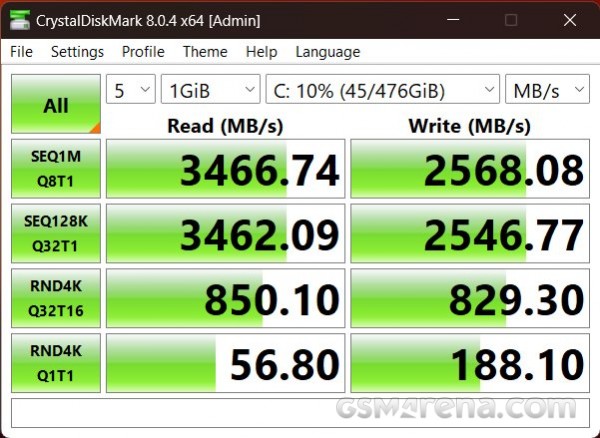
The single 512GB Foresee M.2 SSD had a perfectly decent performance for a Gen 3.0 drive.
The cooling is handled by one of the smallest fans I’ve seen on a notebook, measuring just 37mm in diameter. Temperature-wise, the single fan does a good job of keeping the chip cool, which isn’t difficult considering the very low power level it is usually running at.
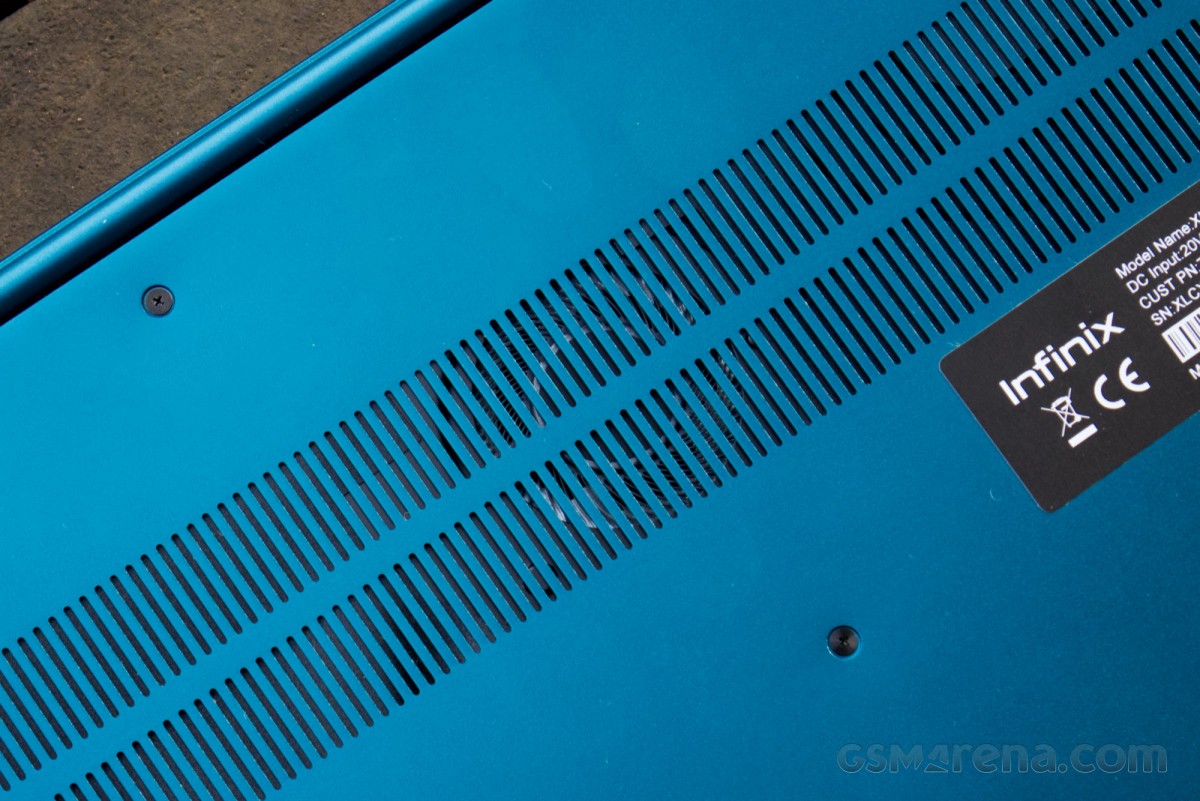
As for noise, the small fan is relatively quiet but still audible. It’s not particularly distracting unless you are in a very quiet room. Even then, the sound is neither loud nor of an especially annoying pitch.
Battery and charging
The INBook X3 Slim has a 50Wh battery, which is on the smaller side but not unexpected for a machine this size. It’s the same size as the MacBook Air, for example.
Unfortunately, this isn’t the MacBook Air, and even with a relatively low operating power, the i5-1235U cannot match the power efficiency of Apple Silicon. Due to this, you are looking at about 5 hours of battery life on the INBook X3 Slim, which isn’t quite all-day battery life for office work but should be fine for, say, school and college work.
The machine fares better for media consumption. I got about 7.5 hours while playing Netflix continuously, which is great even for relatively long flights.
The INBook X3 Slim supports 65W USB-C charging. Infinix claims 90 minutes for a full charge. However, regardless of how many times I tested and with different 65W chargers, the notebook took a full three hours to charge from 4%, which is about as low as it can go before Windows shuts the machine down. This may just be an issue with our review unit and shouldn’t be a problem for retail units.
Conclusion
The INBook X3 Slim may be a minor update over its predecessor but it’s still a great machine in 2023. The model tested here is priced at INR 37,990, which is about $459, a terrific price for everything that’s on offer. You are getting a great design and build, decent display, comfortable keyboard, and good performance for home, office, and school use.
The display performance is the only major drawback, with rather slow response times and an overly cool white point. The power button is also begging for the addition of a fingerprint sensor, something some of the competing devices offer. Infinix also needs to get its act together and set up a proper website with updated information and a place to download all the latest drivers.
Aside from that there really isn’t much to complain about. You get so much value for the price that even the complaints feel more like nitpicks. Assuming it’s available in your region, this is one of the best entry-level notebooks you can get for school or office use.