I have an old Galaxy S22, which is about four years old now. It’s technically a flagship from 2022, but it runs nothing like one in 2026.
The thing is, making an old phone feel fast isn’t all about reducing animations and disabling features like RAM Plus. I’d already done all of that last year. So this time, I tried a few apps to help the cause. And as you can probably guess at this point, they all worked brilliantly in making my phone feel new again.
Olauncher
Ditch the default launcher, ditch the lag
The default launcher is probably the most overlooked reason an old Android phone can feel slow. Your phone keeps getting new features and UI refreshes via updates for years, but the chip underneath remains the same. That mismatch inevitably takes a toll on the performance and makes it feel less snappy.
The fix for this is also dead simple. You need to ditch that default launcher for something lighter like Olauncher. It feels very different from most other launchers because there are no icons, widgets, or Google Discover page on the home screen.
Swiping up opens the app drawer where apps are listed with their names instead of icons. You can even pin your favorites to the home screen, which also appears in plain text. You still get themes, fonts, and gestures if you love to tweak things.
The real trick here is stripping out almost everything visual. Since Olauncher has less to render, it feels fast. If you want something more feature-rich, you can try Kvaesitso instead.
SD Maid
Don’t overlook your phone’s storage
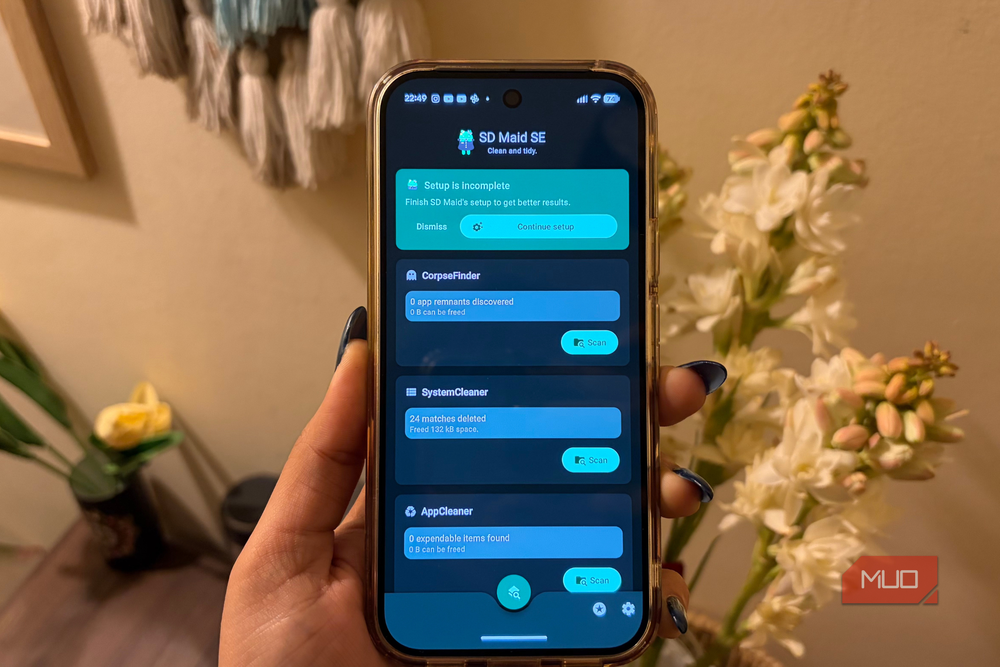
Storage clutter is another silent performance killer. Unlike iPhones, Android phones don’t run well when storage gets tight. Google even mentions it on its support page. Any time your phone crosses 90% storage used, performance takes a hit. That’s because Android relies on that free storage for system cache and temporary files, so when there are only a few gigabytes left, it constantly has to delete old files before creating new ones. That churn is what causes the lag.
Freeing up storage is usually straightforward. You delete a few apps, move large files to the cloud, and it gets the job done. But if you don’t want to do that, SD Maid can help. It’s an open-source app that finds junk that’s easy to miss.
Its CorpseFinder tool, for instance, looks for leftover files from apps you removed long ago. If you’ve used a phone for two or three years, this alone can free up a few gigabytes. Its SystemCleaner tool goes after empty folders, log files, and other system clutter. You simply need to hit Delete and the app takes care of removing it.
SD Maid also has an AppCleaner tool that deletes app caches with a single tap, but that one’s locked behind the Pro version, which runs around $4 for lifetime use. If you don’t want to pay, the alternative is to head to Settings > Apps, sort apps by storage, and manually clear caches for the heaviest apps one by one. It’s a bit slow, but it works the same.
Backdrops
A nice wallpaper can help
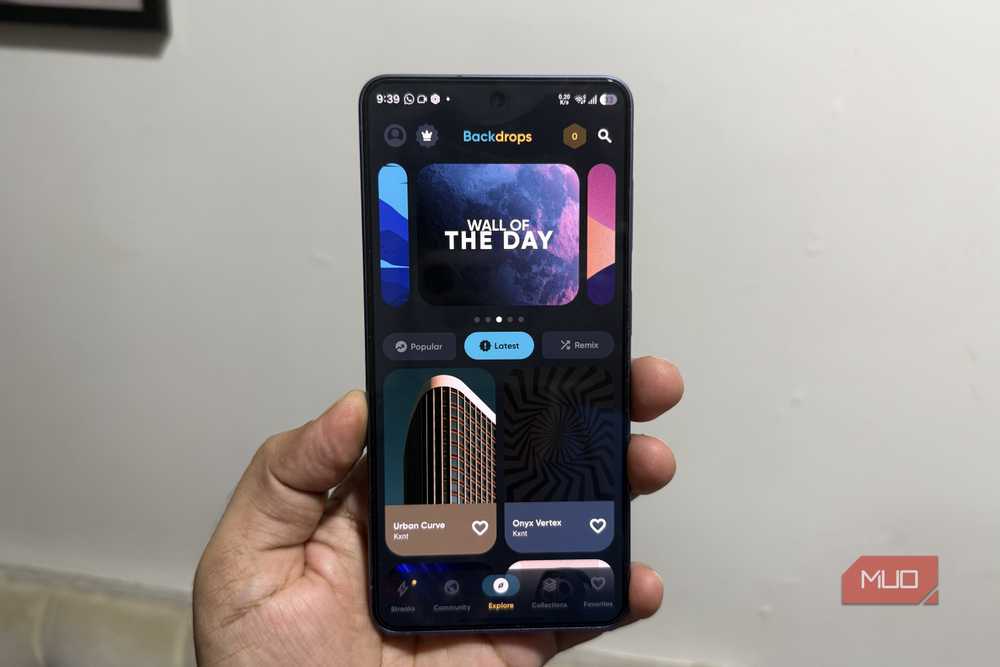
Swapping the launcher and freeing up storage takes care of making your old phone feel fast. But a fresh wallpaper is what makes it feel new. And if you can swap that old screen protector and case too, even better.
Backdrops is easily the best wallpaper app on the Play Store. It has a massive collection that covers pretty much every style, including minimal, patterns, scenery, space, and abstract.
The whole library is curated, so you’re not wading through the low-effort stuff that fills up most wallpaper apps. The app itself looks great too, built with Material You, and the ads are actually unobtrusive instead of getting in your way.
Fossify suite
Time to de-google your phone
This one isn’t for everyone, but I feel like most Google apps have gotten bloated. Sure, Gemini baked into Photos, Files, Google Messages, and Keep is useful for a few things, but that same integration is exactly what makes apps heavier than they need to be. There’s the privacy risk of Gemini accessing all of that personal data.
Fossify is a collection of open-source, ad-free apps built to replace Google’s on Android. You get Fossify Gallery, File Manager, Messages, Calendar, Notes, and a couple of others. Each one is free, works offline, and doesn’t need an account to work.
Most importantly, they’re lightweight, which is exactly what helps performance well on an older phone. And these apps still match Google’s offerings feature for feature, so it’s not like you’re settling for less. Ditching Google apps isn’t practical for everyone, but if you want to de-Google your phone or make it feel light, Fossify’s suite is worth a shot.